Reviewed by the Trusted Buyer Report editorial team. This article is based on manufacturer specifications, independent lab testing from third-party sources, and verified buyer feedback. It does not reflect hands-on testing by Trusted Buyer Report. We may earn a commission from purchases made through links on this page. Full disclosure →
TL;DR — Best External Drives at a Glance
- Best overall portable SSD: Corsair EX400U (USB4, 4,000+ MB/s, sustained write confirmed)
- Best for photographers & videographers: SanDisk Extreme Pro Portable SSD (USB 3.2 Gen 2x2, 2,000 MB/s)
- Best everyday portable SSD: SanDisk Extreme Portable SSD (USB 3.2 Gen 2, 1,050 MB/s)
- Best high-speed internal NVMe: Samsung 9100 PRO (PCIe 5.0, 14,800 MB/s read)
- Best value NVMe SSD: WD Black SN7100 (~7,250 MB/s at lower cost than 990 PRO)
- Best for backup & bulk storage: WD My Passport Ultra 5TB (HDD, lowest cost per GB)
Here's the problem most external drive guides don't address: you can spend $200 on a fast SSD and still get the same transfer speeds as a $30 flash drive — because your laptop's port is the bottleneck, not the drive.
Before you buy anything in 2026, you need to know two things: what your port actually supports, and what your workflow actually demands. Once those are clear, the right drive becomes an obvious choice rather than a guessing game.
This guide covers both — with tested real-world speed data and an honest breakdown of when fast drives justify the premium (and when they don't).
Head-to-Head: Top External Drives of 2026 Compared
Based on performance data from Tom's Hardware, CNET, and Wirecutter:
| Drive | Interface | Max Read | Max Write | Capacity | Best For |
|---|---|---|---|---|---|
| Samsung 9100 PRO | PCIe 5.0 | 14,800 MB/s | 13,400 MB/s | Up to 4 TB | Pro workloads, 8K video, AI datasets |
| Samsung 990 PRO | PCIe 4.0 | 7,450 MB/s | 6,900 MB/s | Up to 4 TB | High-end gaming, performance builds |
| WD Black SN7100 | PCIe 4.0 | 7,250 MB/s | 6,900 MB/s | Up to 4 TB | Best value NVMe; near-identical real-world perf |
| Corsair EX400U | USB4 | 4,000+ MB/s | 3,700+ MB/s | Varies | Portable high-speed; best for most creators |
| SanDisk Extreme Pro Portable | USB 3.2 Gen 2x2 | 2,000 MB/s | 2,000 MB/s | Varies | Photographers, field videographers |
| SanDisk Extreme Portable | USB 3.2 Gen 2 | 1,050 MB/s | — | Varies | Everyday file transfers, students |
| WD My Passport Ultra | USB 3.0 | ~130 MB/s | ~130 MB/s | Up to 5 TB | Backup, archival, media libraries |
Two things jump out immediately. The Samsung 9100 PRO's 14,800 MB/s headline speed requires a PCIe 5.0 slot that most laptops don't yet have. And the WD My Passport Ultra's 130 MB/s ceiling — confirmed by CNET testing — is slow by SSD standards, but it's fast enough to back up 50 GB in under seven minutes, which is all most backup workflows need.
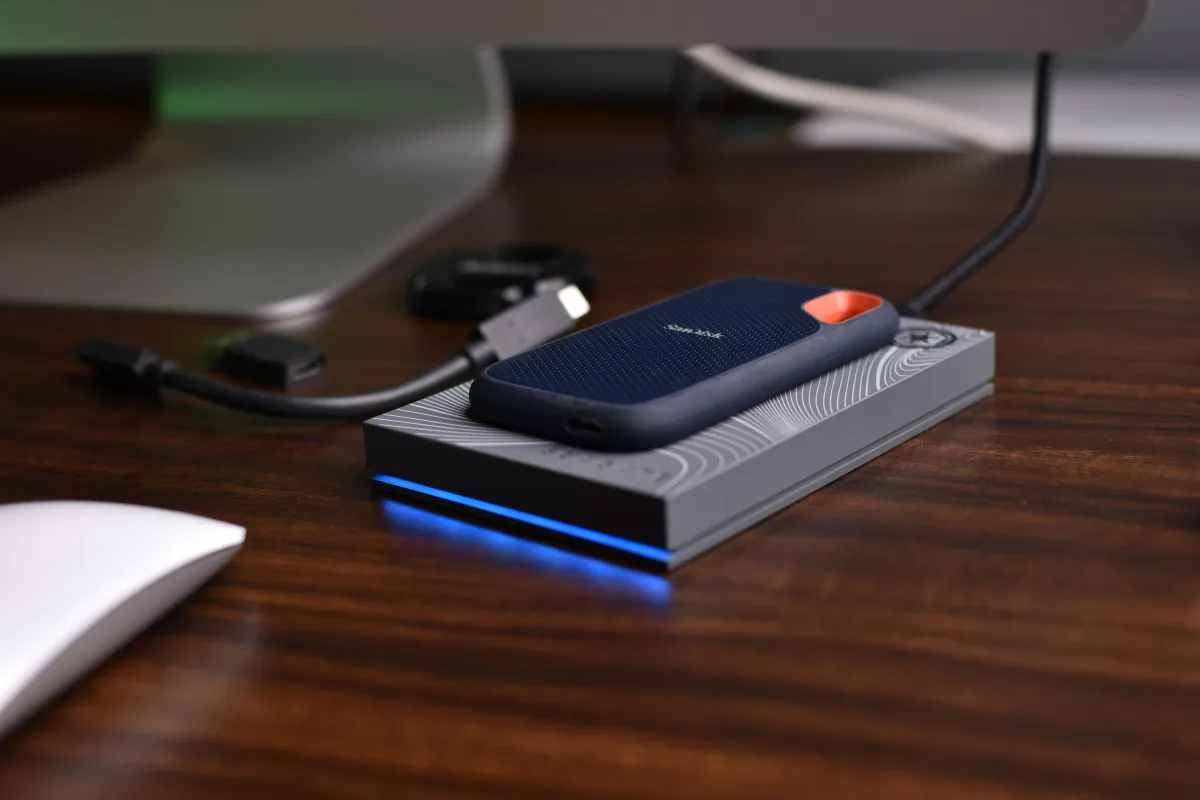
The Corsair EX400U sits in a practical sweet spot: Tom's Hardware's sustained Iometer testing showed it holding 1,600–1,700 MB/s write speeds for 15 consecutive minutes without meaningful cache drop-off. That sustained performance matters far more for real video transfers than peak burst numbers.
The Port Problem: Your Interface Sets the Speed Ceiling
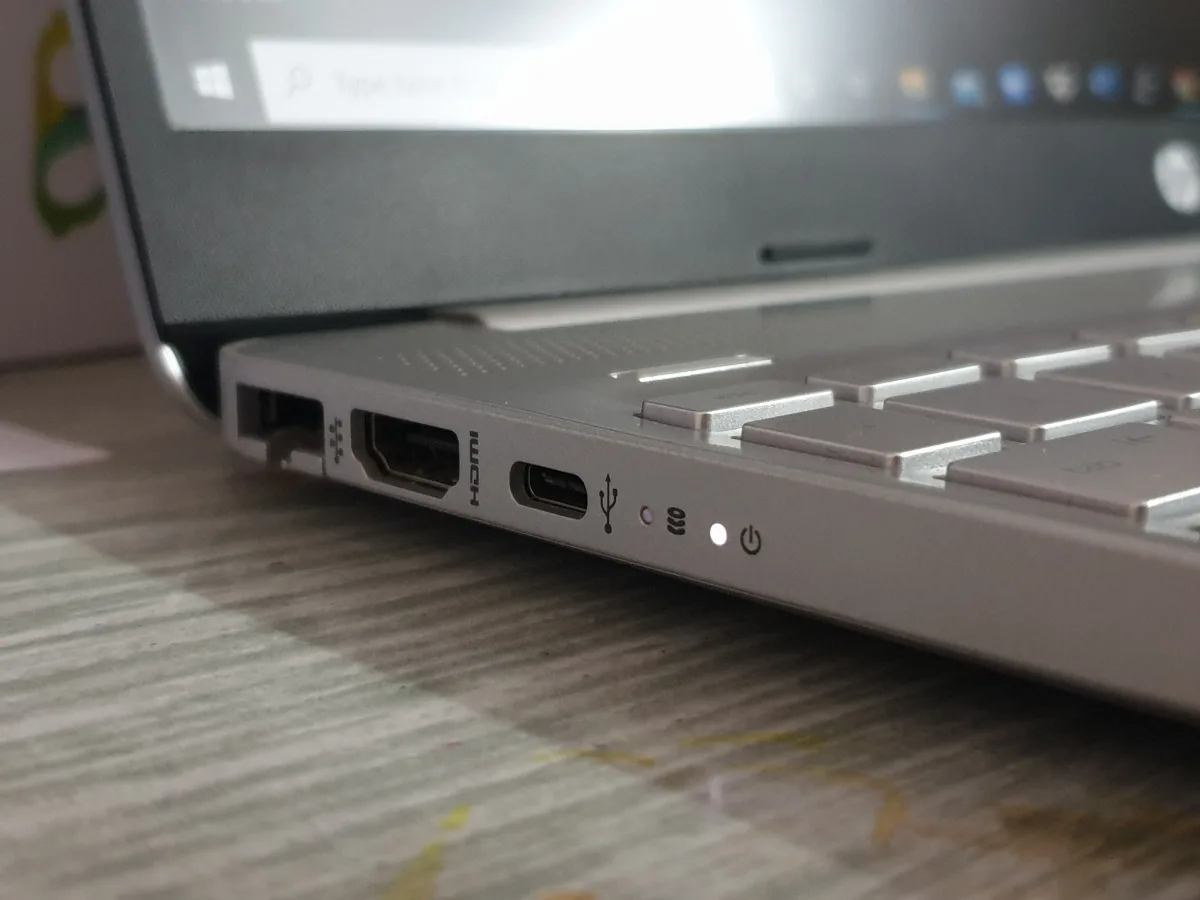
Your port determines your drive's maximum speed — not the other way around.
A premium NVMe enclosure connected to a USB 3.2 Gen 1 port transfers at the same rate as a cheap flash drive. The drive spec on the box becomes irrelevant. Here's how the 2026 interface hierarchy actually breaks down:
| Interface | Theoretical Bandwidth | Practical Real-World Cap |
|---|---|---|
| USB 3.2 Gen 1 | 5 Gbps | ~400–500 MB/s |
| USB 3.2 Gen 2 | 10 Gbps | ~800–1,000 MB/s |
| USB 3.2 Gen 2x2 | 20 Gbps | ~1,700–2,000 MB/s |
| USB4 (40 Gbps) | 40 Gbps | ~3,500–4,500 MB/s |
| Thunderbolt 4 | 40 Gbps | ~3,500–4,500 MB/s |
| Thunderbolt 5 | 80–120 Gbps | Highest ceiling; least common in consumer laptops |
The SanDisk Extreme Pro's 2,000 MB/s read speed is only reachable on a host that supports USB 3.2 Gen 2x2 — as CNET explicitly flags. Connect it to a standard Gen 2 port and you're capped at roughly half that speed, regardless of what the packaging says.
For most buyers in 2026, USB4 is the practical high-speed sweet spot. Tom's Hardware calls it "much more widespread than faster Thunderbolt 5," which makes USB4-based drives like the Corsair EX400U the sensible performance choice without paying a Thunderbolt 5 premium your hardware may not even support.
How to check your ports: Open your laptop's product page on the manufacturer's website and look under "Connectivity" or "I/O Ports." Your port list is usually listed with the protocol (USB 3.2 Gen 2, USB4, Thunderbolt). This 60-second check will tell you which drives you can actually use at full speed.
On the internal PCIe side, backward compatibility is safe and full. A PCIe Gen 5 drive in a Gen 4 slot runs at Gen 4 speeds (~7,000–7,500 MB/s) with no hardware damage — you just won't see Gen 5 gains, as confirmed by OSCOO Shop's 2026 NVMe analysis.
External SSD vs. External HDD: Which Do You Actually Need?

The format decision comes down to four variables: speed, capacity, durability, and cost. Neither SSD nor HDD wins across all four.
When an HDD Makes Sense
Hard drives use spinning platters, which makes them slower and more fragile than SSDs — but they're far cheaper per terabyte.
The WD My Passport Ultra's 5 TB at its price point has no portable SSD equivalent. If your use case is:
- Backing up a home media library
- Archiving old project files
- Storing photos you access a few times per year
...then an HDD is the rational choice. Wirecutter explicitly recommends HDDs for "simply backing up or holding files for occasional use." The 130 MB/s transfer ceiling is adequate for scheduled backups — just don't use an HDD for active work or carry it in a bag where drops are likely. The spinning platters are vulnerable to physical shock.
When an SSD Is the Right Call
SSDs have no moving parts, which makes them significantly more resistant to drops — a meaningful advantage for anything living in a camera bag or backpack.
For speed-dependent tasks — video editing on location, running applications directly from an external drive, moving large files under time pressure — SSDs aren't just faster, they're in a different category. Wirecutter highlights the SanDisk Desk Drive as a desktop option with a power adapter for graphics workstations needing consistent sustained performance. For portable use, bus-powered SSDs (drawing power from the USB cable) are now reliable enough for professional field work.
Bottom line: If you carry your drive and access it regularly, get an SSD. If it stays on your desk and you're writing backups to it once a week, an HDD gives you more storage for less money.
Speed Tiers: Budget, Mainstream, and High-End External SSDs
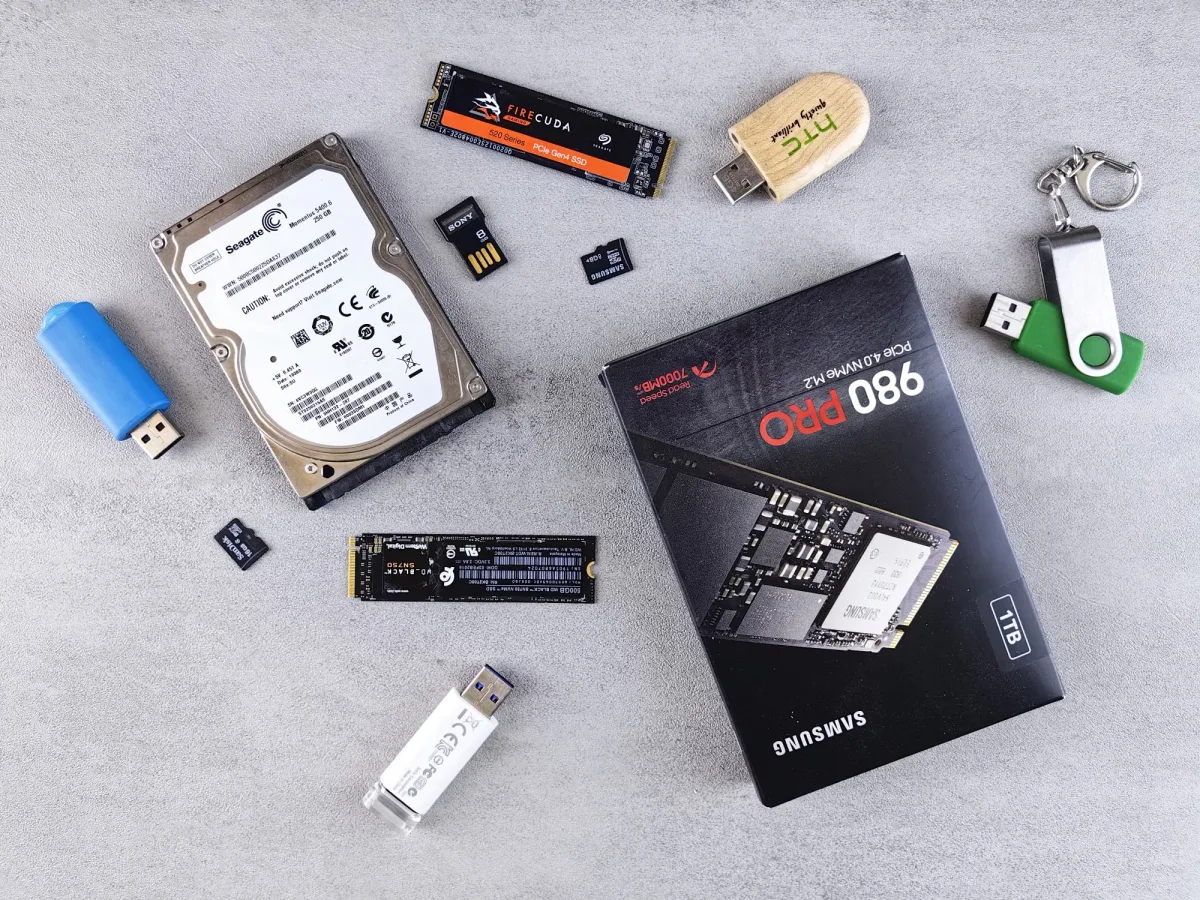
Most buyers fall clearly into one tier once they identify their actual workload.
Budget / Portable Tier: Up to ~1,050 MB/s
Representative drive: SanDisk Extreme Portable SSD
At up to 1,050 MB/s, according to CNET, this tier handles everyday file transfers, photo offloading from cameras, and moving documents between machines without hesitation. A 10 GB folder moves in under 10 seconds. Drives here are compact, bus-powered, and built for daily carry.
Who should stay in this tier: Students, casual photographers, anyone who moves files occasionally and doesn't work with large video or RAW formats.
Mainstream / Mid Tier: 2,000–4,000+ MB/s
Representative drives: SanDisk Extreme Pro Portable SSD, Corsair EX400U
This is where content creators and power users should focus. The SanDisk Extreme Pro hits 2,000 MB/s read/write when paired with USB 3.2 Gen 2x2 hardware — fast enough to offload a full day of 4K footage in minutes rather than hours.
Step up to USB4 and the Corsair EX400U delivers reads above 4,000 MB/s and writes above 3,700 MB/s in sequential testing, per Tom's Hardware. More importantly, Tom's Hardware's sustained Iometer testing confirmed the EX400U held 1,600–1,700 MB/s write speeds for 15 full minutes without cache drop-off. For a video editor moving 100 GB project files, this sustained figure is what actually matters.
Who should be here: Videographers, photographers shooting high-volume sessions, creative professionals who transfer large files daily.
High-End Tier: 7,000–14,800 MB/s (Internal NVMe)
Representative drives: Samsung 9100 PRO (PCIe 5.0), Samsung 990 PRO, WD Black SN7100 (both PCIe 4.0)
The Samsung 9100 PRO reaches sequential reads of 14,800 MB/s — the fastest consumer NVMe drive available in 2026, according to KingSpec's 2026 SSD rankings. This tier is relevant for professionals running 8K raw video workflows, large AI model datasets, or virtual machine environments where I/O throughput directly limits how fast you can work.
For everyone else: OSCOO Shop makes the math plain — Gen 4 drives deliver roughly 95% of Gen 5's real-world performance at significantly lower cost. The gap between 7,450 MB/s and 14,800 MB/s is enormous on paper, but most tasks are already constrained by other system factors (CPU, RAM, file system overhead) before they hit NVMe throughput limits.
Best External Drive for Value: Most Storage Per Dollar

Best Capacity Value: WD My Passport Ultra (5 TB HDD)
No portable SSD comes close to the WD My Passport Ultra's cost per terabyte at 5 TB. For media archives, game backups, and scheduled time-machine-style backups, this is the rational pick — as long as fast sequential transfers aren't required.
Best NVMe Value: WD Black SN7100
The WD Black SN7100 offers 7,250 MB/s sequential reads at a lower price than the Samsung 990 PRO's 7,450 MB/s, according to OSCOO Shop's 2026 price analysis. The ~200 MB/s speed difference is imperceptible in daily use. Paying the premium for the 990 PRO is hard to justify unless you're chasing benchmark scores.
Budget NVMe Option: Crucial P310 (QLC NAND)
For buyers on a tighter budget, the Crucial P310 (PCIe 4.0, QLC NAND) is worth considering for general use, per KingSpec's rankings. QLC flash is cheaper to manufacture than TLC, which translates to lower street prices. The trade-off is write endurance: the Crucial P310 carries a 220 TBW rating, compared to 1,200 TBW for the Samsung 990 PRO.
Here's the catch: Tom's Hardware notes that QLC-based drives like the SanDisk Blue SN5100 are "difficult to tell apart from TLC-based drives in everyday use." For read-heavy use cases — accessing archives, loading files, streaming from a drive — QLC is a practical, cost-effective choice. The endurance gap only matters if you're using the drive as a primary write target in a video production environment.
Best External Drive for Speed: When Throughput Justifies the Premium
Raw speed earns its cost in specific, identifiable scenarios:
- 4K or 8K video editing with large uncompressed raw files
- Transferring multi-hundred-GB datasets on a regular schedule
- Running virtual machines from an external drive
For everyone else, the performance ceiling of a mid-tier drive is rarely the bottleneck.
The Samsung 9100 PRO remains the fastest consumer NVMe available in 2026, but its PCIe 5.0 requirement means most current consumer laptops won't see those speeds. The Samsung 990 PRO holds the Gen 4 benchmark at 7,450 MB/s, but OSCOO Shop's 2026 pricing data shows its price has increased significantly from 2024 lows — which shifts the value argument toward the WD Black SN7100.
Wirecutter puts the speed premium in perspective: faster drives "are usually more expensive — sometimes much more — and unless you're pushing your PC especially hard, it's unlikely you'd notice the difference." That's not a dismissal of fast drives — it's an honest calibration of when the investment pays off.
For external portable use specifically, the Corsair EX400U is the practical speed champion for most users. Its USB4 interface is widely supported, reads exceed 4,000 MB/s, and — critically — its sustained write speed holds steady under extended workloads. A video editor moving large project files between a workstation and a client machine will feel a real, measurable difference with the EX400U. A student moving documents between home and school will not.
One metric that deserves more attention than it gets: sustained write speed. Peak sequential read is easy to market. What matters for video editing and large transfers is how fast a drive writes over an extended period after its cache fills. The Corsair EX400U's confirmed 1,600–1,700 MB/s sustained write over 15 minutes is a more honest indicator of field performance than any burst spec on the packaging.
TLC vs. QLC NAND: Which Should You Choose?
| TLC (Triple-Level Cell) | QLC (Quad-Level Cell) | |
|---|---|---|
| Bits per cell | 3 | 4 |
| Typical endurance (1 TB) | 600–1,200 TBW | 150–300 TBW |
| Cost | Higher | Lower |
| Best for | Write-heavy workflows, production | Read-heavy use, budget buyers, archival |
| Example drives | Samsung 990 PRO, WD Black SN7100 | Crucial P310, SanDisk Blue SN5100 |
TBW (terabytes written) measures how much data a drive can write over its lifetime before reliability starts to degrade. For a home user who writes 20–30 GB per day, even a 220 TBW QLC drive lasts over 20 years. Endurance only becomes a meaningful concern in professional video production or server environments with high sustained write loads.
Who Should Buy What: Decision Guide by Use Case
You shoot photos on weekends and back up to a drive occasionally. → SanDisk Extreme Portable SSD. Compact, durable, fast enough for your needs. Or WD My Passport Ultra 5 TB if you want maximum capacity for photo archives.
You edit 4K video on a laptop, traveling between job sites. → Corsair EX400U (USB4). Its sustained write performance holds up during actual video project transfers, not just synthetic benchmarks.
You're a photographer shooting 100+ GB RAW sessions in the field. → SanDisk Extreme Pro Portable SSD if your laptop has USB 3.2 Gen 2x2. Or the Corsair EX400U if it has USB4.
You want the fastest possible internal NVMe and have a PCIe 5.0 slot. → Samsung 9100 PRO. The performance ceiling is real for 8K editing and AI workloads.
You want fast internal NVMe without paying a PCIe 5.0 premium. → WD Black SN7100. Near-identical real-world performance to the Samsung 990 PRO at a lower current price.
You're setting up a backup system for a home media library or NAS. → WD My Passport Ultra. Cheapest cost per terabyte, adequate speed for scheduled backup jobs.
Frequently Asked Questions
What is the fastest external SSD available in 2026?
The Samsung 9100 PRO leads raw sequential read speed at 14,800 MB/s via PCIe 5.0 as an internal NVMe drive. For portable external use, the Corsair EX400U via USB4 delivers reads above 4,000 MB/s — a practical ceiling for most users given current hardware availability. Thunderbolt 5 drives can go higher, but the interface remains uncommon in consumer laptops.
Is an external SSD worth it over a hard drive?
It depends on your use case. For backups and archival storage accessed occasionally, an HDD like the WD My Passport Ultra offers far more capacity per dollar and is the rational choice. For portable use, video editing, or any task requiring fast transfers, an SSD's speed advantage and physical durability (no moving parts) justify the higher cost per gigabyte.
Will a fast SSD be limited by my computer's port?
Yes. Your port sets the maximum possible transfer speed regardless of drive rating. A drive rated at 2,000 MB/s connected to a USB 3.2 Gen 2 port is capped at roughly 800–1,000 MB/s in practice. No hardware damage occurs — speed is simply capped at the port's bandwidth limit. Check your laptop's spec sheet before buying.
What is the difference between TLC and QLC NAND?
TLC (Triple-Level Cell) stores 3 bits per cell and offers higher write endurance — typically 600–1,200 TBW for consumer drives. QLC (Quad-Level Cell) stores 4 bits per cell, costs less to manufacture, and typically carries 150–300 TBW ratings. For read-heavy or casual use, QLC drives perform comparably to TLC in everyday tasks. For sustained high-volume writing (video production, server workloads), TLC's endurance advantage becomes meaningful.
Do I need Thunderbolt 5 for an external SSD in 2026?
Not for most buyers. Thunderbolt 5 offers a bandwidth ceiling of 80–120 Gbps, but it's uncommon in current consumer hardware and carries a significant price premium. USB4 at 40 Gbps is widely available and supports drives like the Corsair EX400U at 4,000+ MB/s — enough for 4K video workflows without requiring Thunderbolt 5 hardware.
Is PCIe 5.0 worth it for an internal SSD in 2026?
For most buyers, no. Gen 4 drives like the WD Black SN7100 deliver around 95% of Gen 5's real-world performance at a substantially lower price, according to OSCOO Shop's 2026 analysis. PCIe 5.0 makes a measurable difference for 8K video editing, large AI dataset processing, and virtual machine environments — use cases where throughput directly limits workflow speed. For gaming, general productivity, and content creation at 4K, Gen 4 is the better value.
Related Buying Guides
Looking to round out your tech setup? These guides from Trusted Buyer Report cover the peripherals and devices that pair with your storage solution:
- Consumer Electronics Buyer's Guide 2026 — The comprehensive overview for anyone building or upgrading a complete tech setup this year.
- Best PC Monitors 2026 — For video editors and designers who need accurate color and fast refresh rates to go with that fast drive.
- Best Tablets 2026: iPad vs Samsung vs Amazon Fire — Tablets that support external storage connections and USB4 are increasingly common; here's how they compare.
- Best Portable Chargers & Power Banks 2026 — If you're using a bus-powered SSD in the field, a high-output power bank extends your working time.
- Best Webcams for Remote Work & Streaming 2026 — Recording video means storing video. Pairs naturally with a mid-tier portable SSD recommendation.
- Best Mechanical Keyboards 2026 — Rounding out a desk setup for creators and power users.
- Best Headphones 2026 — For editors who need accurate audio monitoring alongside fast storage.
- Best Wireless Earbuds 2026 — AirPods vs Sony vs Samsung, compared for quality and value.
- Best E-Readers 2026 — Kindle vs Kobo vs Nook, for a different kind of portable storage altogether.
- Best Bluetooth Trackers 2026 — AirTag vs Tile vs Samsung SmartTag; useful to protect expensive drives and gear on the road.
- Best Home Printers 2026 — Inkjet vs laser for home office setups.
- Best Photography Equipment for Hobbyists 2026 — Storage is only half the equation; here's the gear that generates it.
This article was drafted with AI assistance and fact-checked by our editorial team before publishing. Recommendations are based on manufacturer specifications, independent lab testing from Tom's Hardware, CNET, and Wirecutter, and verified buyer feedback — not hands-on testing by Trusted Buyer Report. How we review → · How we use AI →