
This guide is based on manufacturer specifications, independent lab test results from Consumer Reports, CNET, Reviewed.com, and TechGearLab, and verified buyer feedback aggregated from multiple sources. It does not reflect first-hand hardware testing by Trusted Buyer Report. This article was drafted with AI assistance and reviewed by our editorial team before publishing. We may earn a commission from purchases made through links on this page.
The Short Answer: Which Smart Thermostat Should You Buy in 2026?
Choose Ecobee Smart Thermostat Premium if you have a multi-story home or struggle with uneven temperatures between rooms — its room sensor system is the best in the category.
Choose Google Nest Learning Thermostat 4th Gen if you want fully automatic scheduling with zero manual input, or if you already use Google Home and Nest devices throughout your house.
Choose Honeywell Home (T9 or X8S) if your HVAC system is older, complex, or professionally installed — Honeywell's compatibility range and installer network make it the lowest-risk option for non-standard systems.
Not sure which category you fall into? Keep reading — the section below walks through six real-world scenarios in plain terms.
Why Most Smart Thermostat Comparisons Get It Wrong
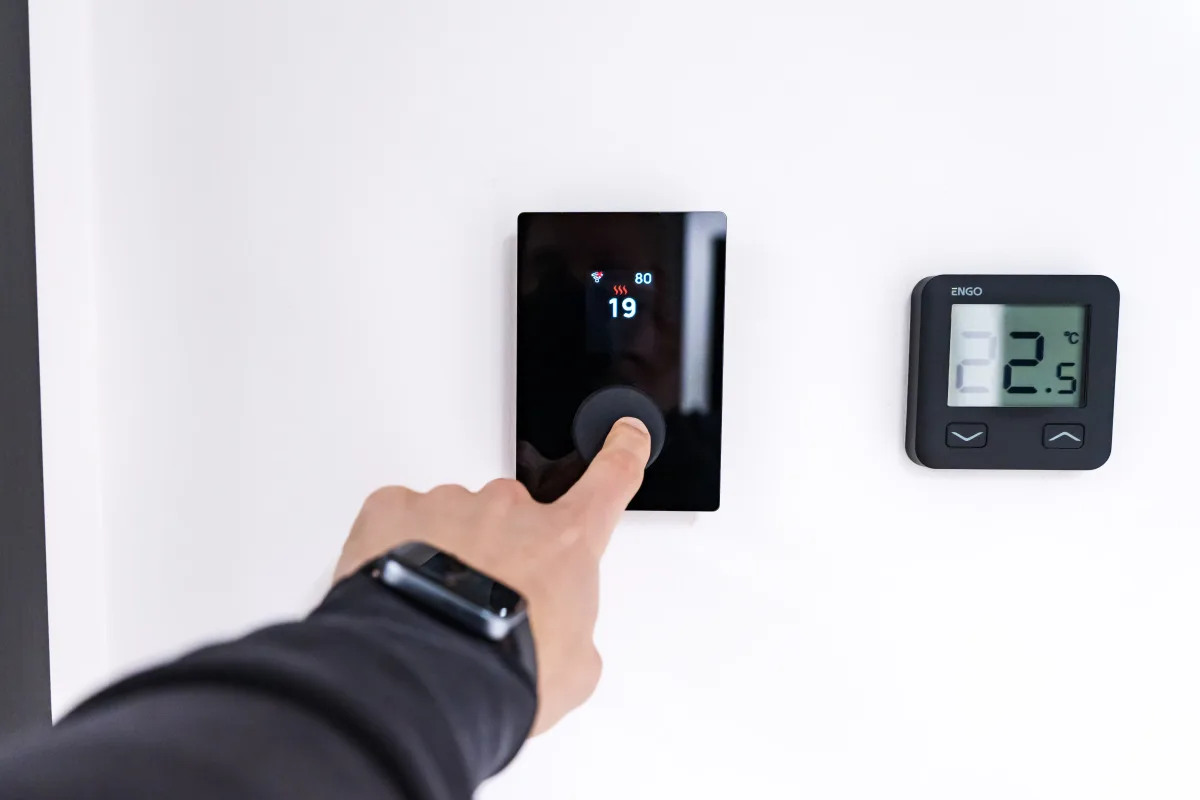
Here's what most buying guides skip: the thermostat isn't the problem — your home layout is. If you set a thermostat to 70°F in your main hallway and still wake up at night sweating in your upstairs bedroom, adding a smarter thermostat won't fix that — unless the thermostat has room sensors that can account for temperature differences between floors.
Three factors determine which smart thermostat actually fits your situation:
- Your HVAC system type — standard central forced-air vs. heat pump vs. mini-split
- Your home's physical layout — single-story open floor plan vs. multi-story with bedrooms far from the thermostat
- Your household's daily behavior — predictable schedules vs. erratic routines
Getting these three right matters more than app design or voice assistant branding.
Quick note on mini-splits and window ACs: If your home uses a mini-split, ductless heat pump, or window air conditioner, none of the three brands in this comparison are your primary options. These systems require infrared smart controllers — brands like Cielo, Sensibo, or Mysa — that work like Wi-Fi-connected TV remotes aimed at your HVAC unit. Standard wired thermostats from Nest, Ecobee, or Honeywell won't work with ductless systems.
How This Guide Was Researched
We synthesized findings from four independent testing sources:
- Consumer Reports lab testing of smart thermostat HVAC compatibility and app reliability
- TechGearLab, which has tested 26+ thermostat models since 2016 and hands-on-tested the top 12 in 2025–2026
- CNET and Reviewed.com expert hands-on reviews with real-home installation testing
- Verified buyer feedback from Amazon (including top-voted reviews with 184 to 1,267 helpful votes)
No brand paid for placement in this guide. Rankings reflect fit-to-use-case, not advertiser relationships.
What "Smart" Actually Means in 2026 — The 5 Features That Matter
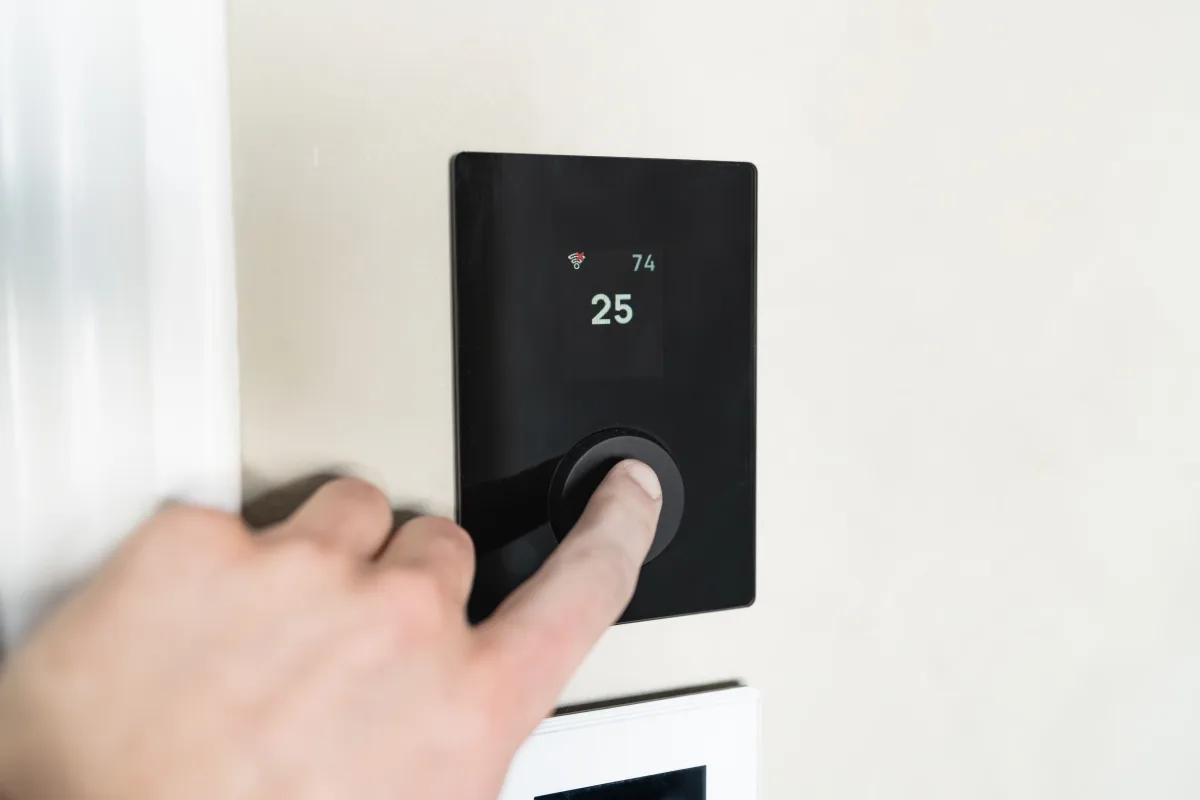
The word "smart" gets applied to any thermostat with a Wi-Fi chip, making it nearly useless as a descriptor. Here's what separates genuinely capable devices from glorified remote controls:
1. Learning algorithms vs. programmable schedules A programmable thermostat follows rules you enter manually. A learning thermostat observes when you wake up, leave, return, and sleep — then builds a schedule around those patterns automatically. The practical difference: a programmed schedule breaks the moment your routine changes; a learning thermostat adapts week by week.
2. Room sensors (the most underrated feature in the category) Rather than measuring temperature only at the thermostat's location — typically a hallway — room sensors placed in bedrooms or upper floors give the system an accurate picture of where people actually are. This directly solves the uneven-temperature problem most multi-story homeowners face. According to TechGearLab's head-to-head testing, this is the single most impactful differentiator between 2026 models.
3. Presence sensing This determines whether anyone is home using a combination of on-device motion sensors, phone geofencing, and room sensors. When done well, it prevents the thermostat from heating or cooling an empty house. The Ecobee Premium's Follow Me mode uses sensor data to determine which rooms are occupied; Nest's Eco Mode uses phone location and on-device sensors together.
4. HVAC compatibility Standard central heating and cooling systems use low-voltage wiring that connects directly to a thermostat. Heat pumps, multi-stage systems, and dual-fuel setups require broader compatibility ranges. Honeywell's lineup supports the widest range, including 2-stage heat pump plus 2-stage auxiliary heat configurations that trip up other brands.
5. Smart home ecosystem integration As of early 2026, both the Ecobee Premium and Google Nest Learning 4th Gen support the Matter protocol — the emerging universal standard for smart home interoperability. For Apple HomeKit users, only the Ecobee Premium and Emerson Sensi Touch 2 offer native HomeKit support; the Nest does not. For Google Home, Nest is significantly deeper than any competitor.
Ecobee Smart Thermostat Premium (2026): Best for Multi-Room Temperature Control
Best for: Multi-story homes, households with uneven temperatures between rooms, Apple HomeKit users, buyers who want built-in air quality monitoring
Price: ~$249.99 MSRP (promotional lows around $199–$200)
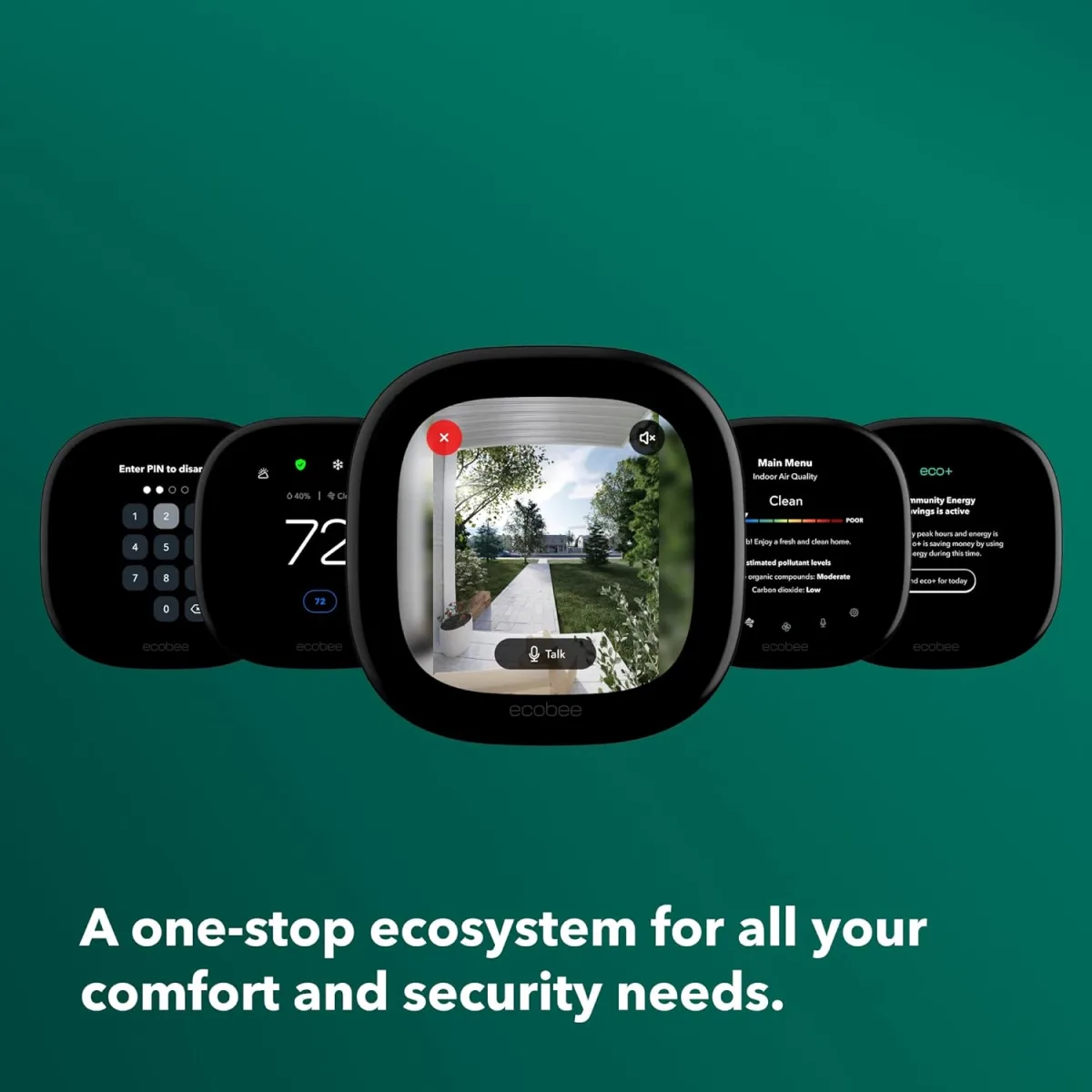
What makes Ecobee stand out
Ecobee's defining advantage is its room sensor system. The Smart Thermostat Premium ships with a SmartSensor included; you can add more to cover every floor or bedroom. The thermostat averages temperatures across all active sensors rather than relying solely on its own reading. According to TechGearLab's lab testing, Ecobee and Nest had the best overall user interfaces of the 12 models tested — but Ecobee's multi-room capability is what earns it the top recommendation for larger homes.
The learning behavior uses what Ecobee calls Schedule Assistant: it observes your patterns and suggests an optimized schedule, but changes don't apply automatically — you review and approve them. For households that want smart recommendations without feeling like the thermostat is making decisions without their input, this is a deliberate design feature, not a limitation.
The Premium model also includes indoor air quality monitoring — tracking particulates and VOCs. No competing thermostat at this price point includes this as a built-in feature.
Ecosystem support: Alexa, Google Assistant, Apple HomeKit, and SmartThings — the broadest platform coverage of the three brands in this comparison. HomeKit support is native, not through a bridge.
Energy savings: Ecobee's eco+ mode claims up to 23–26% annual HVAC cost reduction under optimal conditions, according to data cited by independent comparison sources. ENERGY STAR certified.
The honest downsides
Setup complexity is real. As one verified buyer noted in a top-rated Amazon review, "Ecobee is super smart and super powerful, albeit with a learning curve. Took me a couple days to set everything up to optimum for our home." If you want something that works reliably within 30 minutes of unboxing, this isn't that device.
The Ecobee Smart Thermostat Essential (~$149–$169) uses the same core platform at a lower entry price — without the Premium's built-in air quality sensors and speaker. For buyers who want the multi-room sensor capability without paying for features they won't use, the Essential is the smarter purchase.
Reliability note: Multiple verified buyer reviews specifically mention switching to Ecobee after Nest hardware failures caused by electrical surges, reporting no recurrence of the problem.
Google Nest Learning Thermostat 4th Gen (2026): Best for Hands-Off Automation
Best for: Google Home households, buyers who want zero manual input, renters or homeowners who move frequently and want fast setup
Price: ~$249–$280
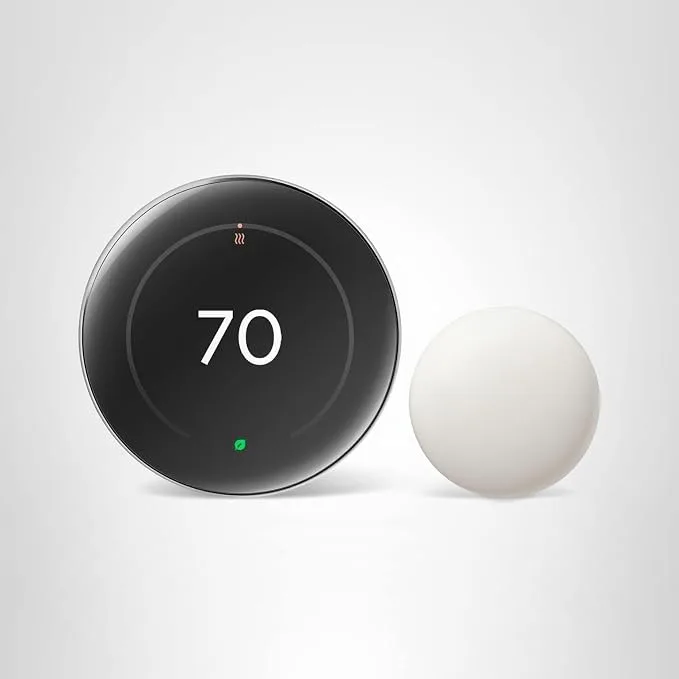
What makes Nest stand out
Nest's core appeal is fully automatic learning. Unlike Ecobee's suggest-and-confirm approach, Nest observes your behavior and adjusts its schedule independently — after about one week, verified buyers consistently report it "started anticipating when I wanted the temperature adjusted." The large animated Farsight display — which activates as you approach — is the most-cited cosmetic win in top buyer reviews.
The 4th generation model closes a meaningful gap with Ecobee by including a Nest Temperature Sensor in the box (a $40 add-on in previous generations). This allows temperature averaging from a second location, directly addressing the uneven-temperature problem that previously made Ecobee the clear choice for multi-story homes. Additional sensors can be added for broader coverage.
Google Home integration at this level is unmatched: the Nest thermostat shows up natively in the Google Home app, works with Google's Home/Away routines, appears on Nest Hub displays, and responds to Google Assistant commands. If your household already uses Nest cameras, Google speakers, or a Nest Hub, the ecosystem value compounds significantly.
Energy savings: ENERGY STAR certified. Independent sources consistently cite 10–15% reductions in heating and cooling costs, with Nest's adaptive learning reducing the need for manual schedule adjustments.
The honest downsides
The surge vulnerability reported in buyer communities is consistent enough to note: multiple owners specifically mention Nest hardware failures after electrical surges, with one top-voted review citing two separate units lost this way before switching brands. This isn't universal, but it's a pattern worth acknowledging in areas with unstable power.
Apple HomeKit users: The Nest does not support HomeKit. If Siri and the Apple Home app control your house, the Ecobee Premium is your only option in this comparison.
No air quality monitoring at any price point in the Nest lineup.
Honeywell Home Smart Thermostats (2026): Best for HVAC Compatibility and Reliability
Best for: Older or professionally installed HVAC systems, complex multi-stage or heat pump setups, buyers who prefer manual scheduling, large homes with five or more zones
Top models: Honeywell Home T9 (~$189), Honeywell Home X8S (~$199–$249), Honeywell Home RTH9585WF (~$70–$90 budget option)
What makes Honeywell stand out
Honeywell's competitive strength is breadth of HVAC compatibility and installer trust, not feature-set innovation. HVAC technicians across the U.S. are trained on Honeywell products, which matters when your system has unusual wiring configurations that other brands sometimes misread.
The Honeywell Home T9 includes room sensor support and is the strongest mid-range value in the Honeywell lineup — it earned the top-voted Amazon buyer review from a household managing five HVAC zones. The RTH9585WF occupies a practical midpoint: more capable than a basic programmable thermostat, but without the premium AI features of Nest or Ecobee, at a significantly lower price point.
Honeywell's flagship models (T9, X8S) support Alexa, Google Assistant, and Apple HomeKit. The learning functions adapt to patterns but are less aggressive than Nest's fully automatic scheduling — a feature, not a flaw, for households that prefer to set their own baseline schedule and simply want remote access and basic optimization.
For truly complex systems — 4-stage heat pumps, dual-fuel setups, whole-home multi-zone control — Honeywell supports the widest staging range of any brand in this comparison.
The honest downsides
Honeywell's app experience is functional but not polished. TechGearLab rates the Nest and Ecobee interfaces as the most intuitive of the models tested; Honeywell ranks solidly mid-tier on UI quality. If app design and daily interaction matter to you, the other two brands deliver a noticeably smoother experience.
The RTH9585WF does not support room sensors — it's a single-point temperature controller with Wi-Fi. For multi-story homes with temperature variance issues, it won't solve the core problem.
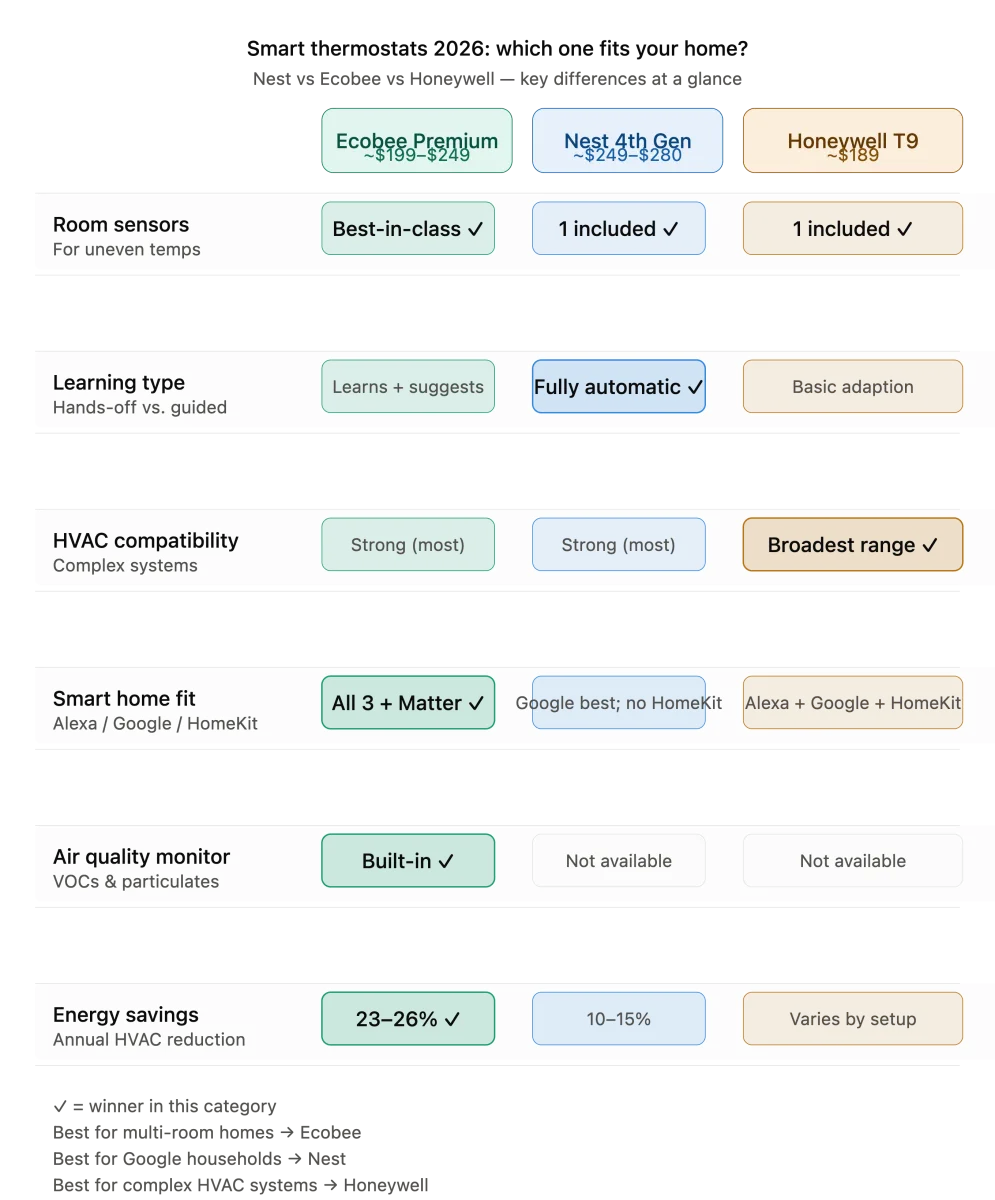
Side-by-Side Comparison: Nest vs Ecobee vs Honeywell 2026
| Feature | Ecobee Premium (~$249) | Nest 4th Gen (~$249–$280) | Honeywell T9 (~$189) |
|---|---|---|---|
| Room sensors included | Yes (1 SmartSensor) | Yes (1 Temp Sensor, new in 4th gen) | Yes (1 sensor) |
| Additional sensors available | Yes | Yes | Yes |
| Learning type | Learns + suggests; user approves | Learns + acts automatically | Learns; less aggressive automation |
| Apple HomeKit | ✅ Native | ❌ Not supported | ✅ Yes |
| Google Home integration | Good | Best-in-class | Good |
| Alexa built-in | Yes (Premium has speaker) | No | No |
| Air quality monitoring | ✅ Built-in (Premium) | ❌ No | ❌ No |
| Matter support | ✅ Yes | ✅ Yes | ❌ No |
| HVAC compatibility range | Strong (most systems) | Strong (most systems) | Broadest (including complex staging) |
| No C-wire? | PEK kit included | Power-harvesting (some limitations) | Requires C-wire (most models) |
| ENERGY STAR certified | ✅ Yes | ✅ Yes | ✅ Yes |
Which Smart Thermostat Is Right for Your Home? 6 Use-Case Scenarios
1. You have a multi-story home with uneven temperatures between floors
→ Ecobee Smart Thermostat Premium
The multi-sensor system is purpose-built for this problem. Add SmartSensors to upper-floor bedrooms, and the thermostat balances comfort across the whole house rather than optimizing for the hallway where it's mounted. No other thermostat in this comparison matches this capability out of the box.
2. You want full automation and already use Google Home or Nest devices
→ Google Nest Learning Thermostat 4th Gen
Its automatic schedule learning requires no ongoing input, and integration with Google Home, Nest cameras, and Google Assistant is the most cohesive in the category. If you already have a Nest Hub or Google speaker in your kitchen, the ecosystem synergy is tangible.
3. Your HVAC system is older, unusual, or professionally installed
→ Honeywell Home T9 or X8S
Honeywell's compatibility range and installer network make it the lowest-risk choice for non-standard wiring, multi-stage systems, or dual-fuel heat pumps. HVAC professionals know Honeywell — that matters when something needs troubleshooting.
4. You want smart features at a lower price point
→ Ecobee Smart Thermostat Essential (~$149–$169)
The Essential uses the same core platform as the Premium — including SmartSensor compatibility and learning functions — at roughly 40% less. Skip the Premium's air quality monitoring and built-in speaker; keep everything that makes Ecobee genuinely useful for multi-room homes.
5. You're an Apple HomeKit household
→ Ecobee Smart Thermostat Premium (only option in this comparison with native HomeKit)
The Nest does not support HomeKit. If Siri and the Apple Home app run your smart home, Ecobee is your clear answer. It also supports Matter, which improves long-term compatibility as the Apple Home ecosystem evolves.
6. You want basic smart control without learning functions
→ Honeywell Home RTH9585WF (~$70–$90)
Set your own schedule, control it remotely from your phone, and get energy reports. This thermostat handles remote access and scheduling precisely — no AI making changes you didn't approve. It's the right choice for households that want remote control, not automation.
Does a Smart Thermostat Actually Save Money?
Yes — but only if it's configured correctly and your HVAC system is in working order.
Independent studies consistently show savings of $50 to $150 per year on heating and cooling bills for most households. The majority of those savings come from two sources: automatic setbacks when the home is empty, and overnight temperature adjustments that prevent the system from running unnecessarily.
A $200 thermostat typically pays for itself within 2 to 3 years. Homes in climates with extreme summers or winters save more; mild-climate homes save less.
One critical detail: a smart thermostat left in a permanent "hold" temperature mode saves no more energy than a traditional thermostat. Savings require either learning mode or a properly configured schedule — the device doesn't save energy automatically just by being installed.
Also worth checking: Many utility companies offer rebates of $25–$100 on ENERGY STAR certified smart thermostats. All five models in this guide are ENERGY STAR certified except the basic Nest Thermostat (non-learning version). Search your utility provider's website or EnergyStar.gov's rebate finder before purchasing — the rebate can meaningfully reduce your out-of-pocket cost.
Do I Need a C-Wire to Install a Smart Thermostat?
Most homes built after 2000 have a C-wire (common wire), which provides continuous 24V power to the thermostat. If yours doesn't:
- Ecobee includes a Power Extender Kit (PEK) in the box that works for most two-wire heating-only systems — the most installation-friendly option for older homes.
- Google Nest 4th Gen uses power-harvesting technology from existing wires, which works in many but not all configurations. Google recommends a C-wire for optimal reliability.
- Honeywell T9 and X8S generally require a C-wire for stable operation.
If you're unsure whether your home has a C-wire, take a photo of your current thermostat's wiring before purchasing — most smart thermostat brands offer compatibility checkers on their websites.
Frequently Asked Questions
Which smart thermostat saves the most energy?
Ecobee's eco+ mode claims 23–26% annual HVAC cost reduction under optimal conditions; Nest independently achieves 10–15% in most homes. The difference is largest in multi-story homes where Ecobee's room sensors prevent the system from over-conditioning spaces that don't need it. For single-story homes or open floor plans, the gap narrows considerably.
Can a smart thermostat work without Wi-Fi?
Yes. If your Wi-Fi goes down, the thermostat will still run your heating and cooling on whatever schedule was programmed. You lose remote control, energy reports, voice assistant integration, and real-time learning until connectivity is restored. All three brands in this comparison handle offline operation the same way.
Is Nest or Ecobee better for renters?
Nest is generally easier to install and uninstall — a consideration if you'll need to restore the original thermostat when you move. Both require landlord permission to install (it's a wired device). If you're in a situation where you may be moving within 1–2 years, factor reinstallation effort into your decision.
Which smart thermostat works best with Alexa?
All three brands work with Alexa for voice temperature control. Only the Ecobee Premium has a built-in Alexa speaker — meaning you can use Alexa from the thermostat itself without a separate Echo device. For households already running Echo devices in every room, this built-in speaker adds less incremental value.
Does Nest work with Apple HomeKit?
No. The Google Nest Learning Thermostat does not support Apple HomeKit. For HomeKit integration, the Ecobee Smart Thermostat Premium is the primary option in this comparison, with the Emerson Sensi Touch 2 as an alternative.
Related Guides From Trusted Buyer Report
Building out a smart home around your new thermostat? These guides cover the rest of your setup:
- Looking at your whole smart home ecosystem? Start with our best smart home devices starter kit for 2026 — it covers which categories to buy first and in what order.
- For voice control and whole-home dashboards, our best smart displays comparison (Echo Show vs Nest Hub 2026) covers which screen pairs best with your thermostat ecosystem.
- Updating your lighting at the same time? The best smart lighting systems guide for 2026 covers Philips Hue, LIFX, and Govee — including which systems work natively with Nest and Ecobee automations.
- Rounding out your home security? See our best home security systems guide (DIY vs. professional monitoring) — several systems integrate with Ecobee's motion sensors for overlapping coverage.
- Households with pets should also check out the best pet cameras for remote monitoring in 2026 — especially relevant if you're using Nest's presence detection, which can misread pets as occupants.
- For families with young children, the best baby monitors for 2026 (video, audio, and smart options) includes models that integrate with Google Home and Alexa ecosystems alongside your thermostat.
Prices reflect 2026 retail availability as of research date and may vary by retailer. Affiliate disclosure: Trusted Buyer Report may earn a commission from qualifying purchases made through links on this page at no additional cost to you. Our editorial recommendations are independent of advertiser relationships.