
Reviewed by the Trusted Buyer Report editorial team. This guide is based on manufacturer specifications, platform documentation, independent expert sources, and aggregated user feedback. It does not reflect hands-on testing by Trusted Buyer Report. We may earn a commission from purchases made through links on this page.
Here is the single most useful thing this guide can tell you before you read another word: Asana, Monday.com, and Notion are not trying to solve the same problem. Treating them as interchangeable options on a feature checklist is the main reason teams end up switching tools every 12 to 18 months — not because the tools are bad, but because the wrong one was chosen for the wrong job.
If your team runs deadline-driven projects with dependencies and approval workflows, that is Asana's core design. If you need cross-department coordination with automation and a visual interface that anyone can pick up in an afternoon, that is Monday.com's design. If you need a flexible knowledge workspace for documentation, wikis, and connected databases, that is Notion's design.
This guide breaks down exactly what each tool is built for, where each one falls short, what the data shows on pricing and features in 2026, and how to match the right tool to how your team actually works.
What Each Tool Is Actually Built For

Before comparing features, understand the core design philosophy driving each platform — because that philosophy shapes every feature decision the product team makes.
Asana is built for structured project execution. Dependencies, milestones, approval workflows, and multi-homing — the ability for a single task to live in multiple projects simultaneously — are first-class concepts, not add-ons. If a delayed client approval cascades into downstream tasks, Asana's dependency chains surface that immediately, without anyone manually tracing the impact.
Monday.com has evolved from a visual task board into a full Work OS. It now ships with native Monday CRM, Monday Dev, and Monday Service products, meaning a startup can run sales pipeline, sprint planning, and customer support ticketing from a single platform. Its defining traits are automation, visual clarity, and a low barrier to adoption.
Notion is a knowledge workspace built for organizing information. As one widely cited project management analysis puts it directly: "Notion is a knowledge workspace built for organizing information. Monday.com is a work execution platform built for getting things done. Trying to force one to do the other's job is like using a word processor for project management." The flexibility that makes Notion powerful for documentation makes it frustrating for teams that need structured execution.
This is why many teams with 10 or more people — doing both documentation-heavy and execution-heavy work — end up running Monday.com and Notion in parallel rather than choosing between them. They are solving different problems.
Asana in 2026: Where It Leads and Where It Costs You
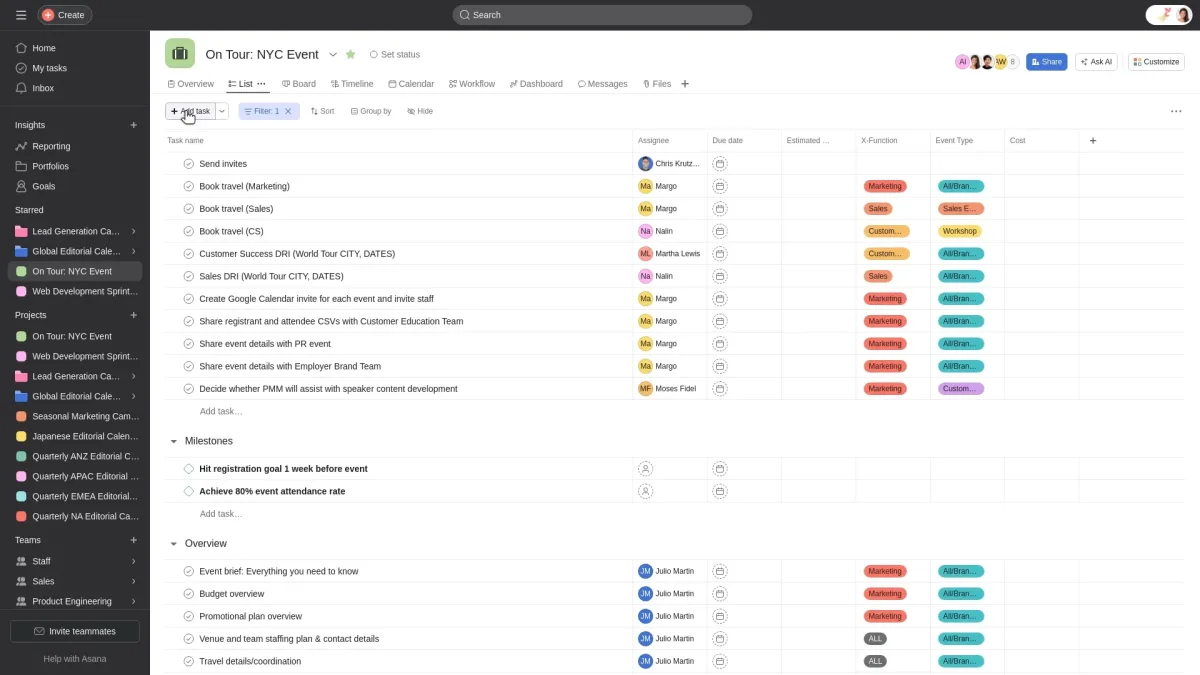
Verdict: best for structured project execution and agencies managing multiple client accounts
Asana's clearest competitive advantage is dependency management. When a client approval slips by three days, Asana's dependency chains immediately surface which downstream tasks are affected — no manual tracing required. For agencies and operations teams running multi-phase projects, that automatic consequence mapping is the difference between catching a delay on Monday and discovering it on Friday.
The multi-homing feature deserves specific attention. A single task — say, "Finalize Q3 campaign copy" — can appear simultaneously in the Content Calendar project and the Client Deliverables project without duplication. Changes in one place reflect everywhere. For cross-functional teams where work spans departments, this eliminates the copy-paste chaos that plagues simpler tools.
AI in 2026: Asana's AI Teammates, launched in late 2025 and expanded in Q1 2026, function as persistent, goal-aware agents that maintain shared memory across sessions. They can autonomously reassign overdue tasks, flag blocked dependencies, and draft status updates. This is a meaningful step beyond basic AI task generation — though the most sophisticated behaviors are gated behind Enterprise tiers.
Pricing in 2026:
- Free plan: available, supports individuals and small teams
- Starter: $10.99 per user/month (billed annually)
- Advanced: $24.99 per user/month (billed annually)
- Enterprise: custom pricing
The pricing gap between Starter and Advanced is significant. Asana Advanced costs nearly $6 more per user per month than Monday.com's Pro plan at the same tier — a premium that only pays off if your team genuinely needs portfolio management, workload views, and proofing workflows. For a 25-person team on Asana Advanced, that adds up to a material annual cost difference compared to competitors.
Limitations: Asana's Slack integration is functional but pulls users back into the Asana interface for meaningful task management. Teams that live in Slack will feel that friction. The learning curve at scale is also real — onboarding around dependencies, multi-homing, and portfolio views requires deliberate investment. Teams that skip that onboarding end up using Asana as an expensive to-do list.
Choose Asana if: your team runs complex, deadline-driven projects with cascading dependencies; you're a creative agency managing multiple structured client accounts simultaneously; or your work requires formal approval workflows baked into task management.
Skip Asana if: cost at scale is a constraint, your team is small and needs basic tracking, or you primarily need a documentation hub.
Monday.com in 2026: The Work OS That Outgrew Project Management
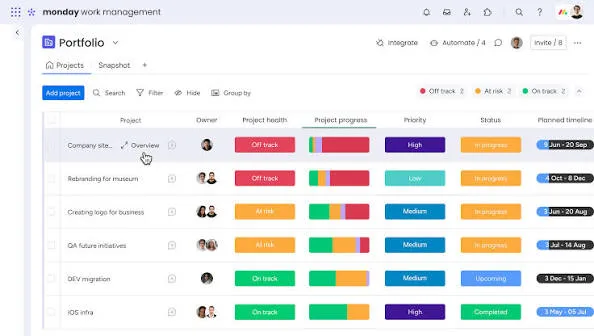
Verdict: best for cross-department teams, startups scaling fast, and anyone prioritizing ease of adoption
Monday.com's transformation into a full Work OS is the defining story of the platform in 2026. The native CRM, Dev, and Service modules mean a fast-growing startup can manage sales pipeline, sprint planning, and customer support in one place — without stitching together separate tools.
Automation is Monday's strongest differentiator. A marketing campaign board can automatically trigger a handoff task to the design team the moment a brief status changes to "Approved" — no manual notification, no missed handoff. Expert analyses of the platform consistently rate Monday's automation at the top of the category for 2026. However, Standard plan users are limited to 250 automations per month, which a busy 25-person team can exhaust in two weeks. Teams that rely heavily on automation will likely need to upgrade to Pro.
Ease of adoption is a real operational advantage. New team members can understand a Monday board in minutes. The color-coded status columns, drag-and-drop boards, and clear ownership indicators communicate project state at a glance without requiring training. For teams with high turnover or frequent contractor onboarding, that low time-to-comprehension has tangible value. Independent comparisons report onboarding is roughly 40–50% faster than Asana's based on user-reported data.
AI in 2026: Monday introduced "Monday Vibe" in 2026 — an AI-powered project setup wizard that generates entire board structures from natural language descriptions. The AI assistant can also generate task descriptions, summarize discussions, and auto-categorize items.
Pricing in 2026:
- Free plan: available for up to 2 users (limited boards — more of a demo than a working tool)
- Basic: $9 per seat/month (billed annually, minimum 3 seats)
- Standard: $12 per seat/month (billed annually, minimum 3 seats)
- Pro: $19 per seat/month (billed annually, minimum 3 seats)
- Enterprise: custom pricing
Note the minimum 3-seat requirement on all paid plans. A solo user or two-person team pays for three seats. This makes Monday less cost-efficient than Asana for very small teams, where Asana has no seat minimum on its Starter plan.
For mid-size teams of 20–100 people, the Standard plan at $12/seat/month offers a strong dollar-per-feature ratio. Monday also achieved FedRAMP authorization in early 2026, making it a practical choice for US federal agencies and contractors — a compliance advantage Asana does not currently match.
Choose Monday.com if: your team needs cross-department coordination and visual workflow management at scale; you want strong automation without a steep learning curve; or you're a startup anticipating rapid growth and need project management and CRM data under one roof.
Skip Monday.com if: you're a solo operator or two-person team (the 3-seat minimum raises your cost floor), or your primary need is documentation and knowledge management rather than task execution.
Notion in 2026: The Flexible Workspace That Is Not Really a Project Manager
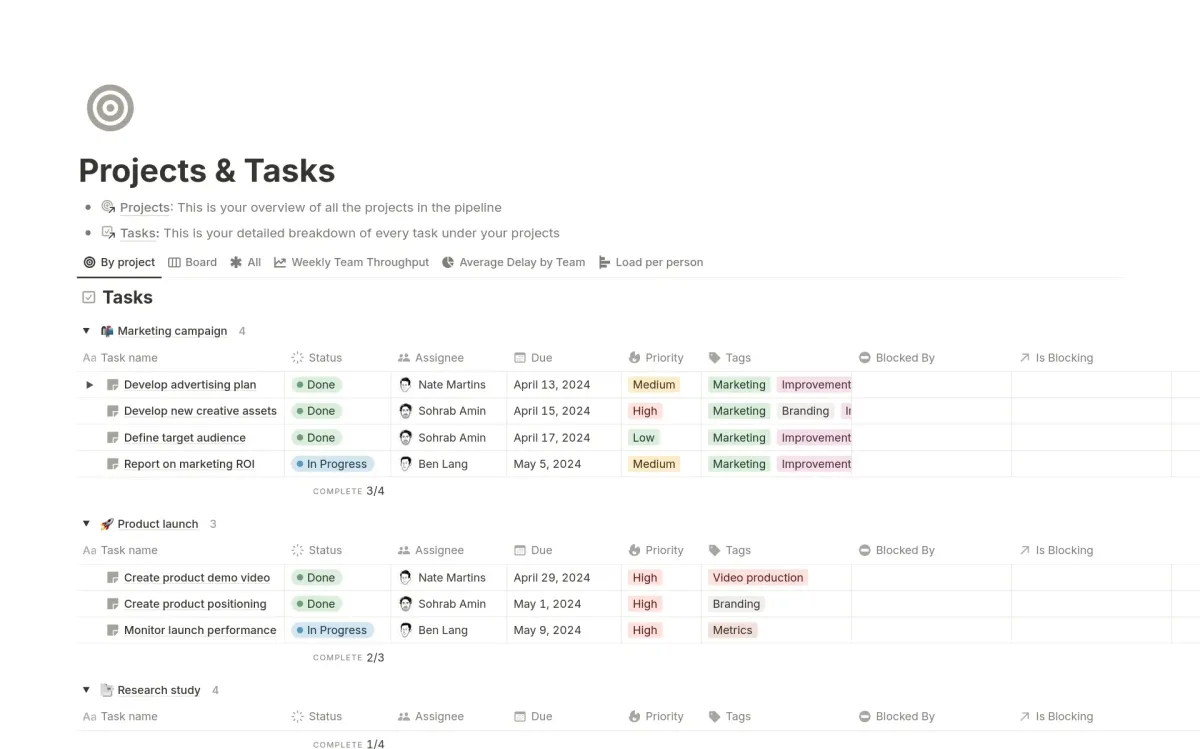
Verdict: best for freelancers, content teams, and product teams prioritizing documentation
Notion's greatest strength is also the source of its most common misuse. Its open-ended, database-driven structure lets teams build almost anything — a company wiki, a product roadmap, a client CRM, a content calendar. That flexibility is genuinely powerful, and it is why teams that need structured project execution consistently run into walls when they rely on Notion as their primary PM tool.
Notion offers basic task tracking through database views — Kanban, calendar, timeline — but it lacks native support for complex workflows, task dependencies, resource allocation, or time tracking. Gartner Digital Markets research cited by independent analysis notes this directly: most non-specialized tools lack project-focused features, causing teams to use multiple apps and increasing admin work. Notion is the canonical example of a tool that does knowledge management beautifully and project execution only passably.
The learning curve is the steepest of the three — specifically because Notion offers no prescribed workflow path. Unlike Asana or Monday, which provide opinionated templates and defined workflows, Notion hands you building materials. For self-directed teams with a designated Notion architect who designs and maintains the workspace, this is manageable. For teams without that person, workspaces frequently drift into inconsistency — different people building different systems, defeating the purpose of a shared environment.
AI in 2026: Notion restructured its AI offering significantly. Full Notion AI features are now bundled exclusively into the Business tier and above. The Free and Plus plans include only a limited AI trial. Teams that previously paid for Plus + AI add-on at a combined $18–20/user/month now effectively need Business at $24/user/month to maintain full AI access — a pricing shift worth factoring into your cost model.
Pricing in 2026:
- Free: available (unlimited pages and blocks; limited to 7-day page history and 10 guests)
- Plus: $10 per member/month (billed annually) — limited AI trial only
- Business: $18 per member/month (billed annually) — includes full Notion AI
- Enterprise: custom pricing
Notion Plus remains the most cost-efficient option for small teams that don't need AI features. For a team under 9 people that primarily needs documentation rather than execution, Notion beats Asana Starter and Monday Basic on price. But once AI functionality and operational database needs enter the picture, the Business tier at $18/user/month narrows that cost gap considerably.
A practical use pattern that works: a product team uses Notion for product specs, meeting notes, and roadmap context — the single source of truth — while running sprint execution and deadline tracking in Asana or Monday. The tools complement each other rather than compete.
Choose Notion if: you're a freelancer, content creator, or solo consultant who needs flexible, low-cost workspace organization; your team is documentation-heavy and execution light; or you're a founder who wants to build a customized workspace from first principles.
Skip Notion if: you need structured project execution with dependencies and approval workflows, you're managing multi-phase client projects, or your team needs automation depth and cross-department handoffs.
Head-to-Head Feature Comparison
| Dimension | Asana | Monday.com | Notion |
|---|---|---|---|
| Core design | Structured project execution | Work OS / cross-department coordination | Knowledge workspace |
| Ease of adoption | Moderate learning curve | Fastest (visual, intuitive) | Steepest (self-directed setup) |
| PM feature depth | Highest (dependencies, multi-homing, portfolios) | Strong | Basic |
| Automation | Unlimited on Starter | 250/mo on Standard; 25,000/mo on Pro | Limited |
| AI features (2026) | AI Teammates (persistent, goal-aware agents) | Monday Vibe + AI assistant | Bundled in Business+ only |
| Integrations | 200+ native | 200+ native | More limited for workflow automation |
| Starting paid price | $10.99/user/mo (no seat minimum) | $9/seat/mo (3-seat minimum) | $10/member/mo |
| Best value tier for mid-teams | Starter | Standard ($12/seat/mo) | Plus (if no AI needed) |
| FedRAMP authorized | No | Yes (achieved early 2026) | No |
| Best for | Agencies, ops teams, structured projects | Startups, cross-department teams | Freelancers, content/product teams |
Sources: Asana pricing page, Monday.com pricing page, Notion pricing page, tech.co independent comparison (June 2026), comparethecloud.net agency analysis (February 2026).
Team Size and Use Case: A Practical Matching Guide
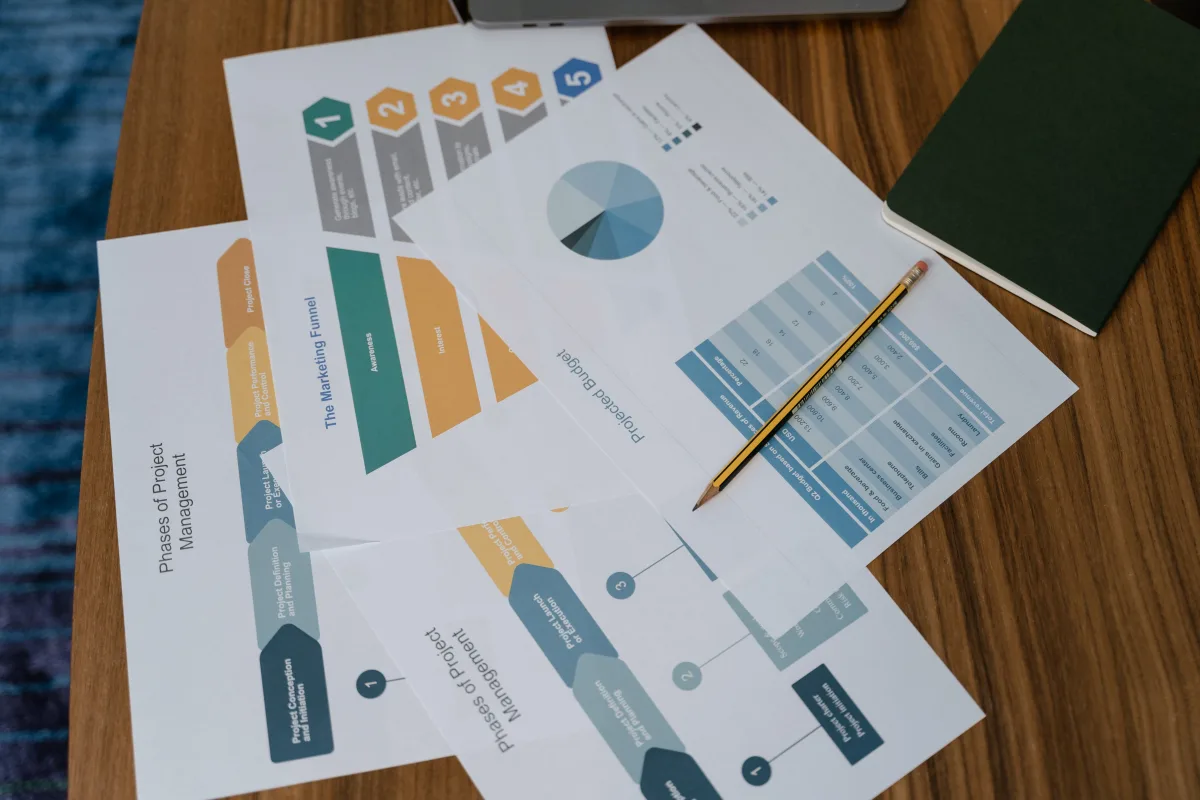
The right tool depends less on team size and more on what kind of work your team actually does day-to-day.
Freelancers and solo consultants should default to Notion. Its flexibility and low cost — a free plan that is genuinely functional for personal use, or Plus at $10/month for light collaboration — make it the strongest fit. A solo consultant can manage client deliverables, meeting notes, and invoices in one database without paying for PM features they will never use.
Small teams running structured projects (under 15 people) will find Asana's free and Starter tiers provide strong execution features — dependencies, milestones, task assignments — without overwhelming complexity. Asana's free plan also supports up to 10 users with genuine functionality, the largest free tier of the three platforms.
Medium-to-large teams needing cross-department coordination are Monday.com's sweet spot. A 15-person SaaS startup can run sprint planning and CRM in Monday while keeping product specs and onboarding documentation in Notion — a combination that independent agency research explicitly recommends for teams with 10-plus people and differentiated workflow needs across roles.
Creative agencies managing multiple client accounts benefit from Asana's portfolio views and structured project templates, which keep work consistent across clients. The multi-homing feature is particularly valuable when team members work across multiple accounts simultaneously.
Development teams should evaluate Jira or Linear before committing to any of these three platforms. Asana, Monday, and Notion were not designed with agile software development as their primary use case. Choosing any of them for a dev team primarily doing sprint work is a workflow mismatch worth flagging before you invest in a rollout.
If your team's work spans both documentation and execution — product teams are the clearest example — the correct answer is often two tools in tandem rather than forcing one tool to do both jobs. That is not a failure to choose; it is the right architectural decision.
If you are building out a broader software stack beyond project management, the approach to evaluating PM tools is similar to how you should evaluate any business software purchase. Our Software & Apps Buyer's Guide 2026 covers how to frame software procurement decisions — including VPN, security, and productivity tools — using a philosophy-first evaluation framework.
The Adoption Problem: Why Rollouts Fail
The most underreported reason project management tool rollouts fail is not missing features — it is adoption. A tool that 60% of your team uses consistently outperforms a more powerful tool that 30% of your team engages with.
Monday.com's adoption advantage is real and measurable. Its visual interface — color-coded status columns, drag-and-drop boards, clear ownership indicators — communicates project state at a glance without training. New team members can understand a Monday board in minutes. For teams with high turnover or frequent contractor onboarding, that low time-to-comprehension reduces onboarding overhead.
Asana requires more deliberate onboarding, particularly around concepts like dependencies, multi-homing, and portfolio views. Teams that invest in that onboarding see returns in feature depth and organizational clarity. Teams that skip onboarding end up using Asana as an expensive to-do list, which wastes money and potential.
Notion's learning curve is the steepest of the three, specifically because it offers no prescribed path. You are not learning a tool's workflow; you are designing your own. Without a dedicated "Notion architect" to build and maintain the workspace, setups drift into inconsistency — different team members building parallel systems that never converge.
How These Tools Connect to the Rest of Your Stack

Project management tools don't operate in isolation. How they integrate with your other business software determines how much friction you add or remove from daily work.
If your team uses a CRM, Monday.com's native CRM integration is worth factoring into your comparison — it reduces the tool count for teams that otherwise juggle a separate CRM and a project management platform. For a deeper look at CRM options across team sizes, see our Best CRM Software for Small Business 2026 guide.
For finance and operations teams, project management connects closely to accounting workflows. Our Best Accounting Software for Freelancers and Self-Employed 2026 covers how to handle the financial side of project-based work when your PM tool handles the delivery side.
If your team uses HR and payroll software, look for integrations when evaluating Monday.com and Asana — both have documented connections to major platforms. Our Best HR and Payroll Software 2026 comparison covers Gusto, ADP, and Rippling specifically.
For marketing teams evaluating project management in the context of campaign execution, the project management tool often needs to connect to email marketing platforms. Our Best Email Marketing Services 2026 comparison covers Mailchimp, ConvertKit, and Klaviyo for teams managing campaigns out of Asana or Monday boards.
For a broader view of business software deals — including discounts on PM tools like Asana and Monday — see our Best Business Software Deals 2026 roundup covering CRM, accounting, and productivity tools.
Creative teams using project management alongside design tools will also want to cross-reference their PM choice against what design platforms work natively with it. Our Best Graphic Design Tools 2026 comparison — covering Canva, Adobe, and Figma — includes notes on integration depth with major PM platforms.
A Pricing Scenario Worth Running
Before committing to any platform, run a concrete cost calculation at your actual team size and expected tier.
10-person team example:
- Notion Plus: $100/month
- Asana Starter: $109.90/month
- Monday.com Standard: $120/month (3-seat minimum applies; 10 seats at $12/seat)
- Asana Advanced: $249.90/month
At the entry paid tier, the three platforms are close in cost for a 10-person team. The gap widens significantly at higher tiers: Asana Advanced at $249.90/month for 10 people is more than double Monday's Standard cost for the same team. That difference has a real compounding effect over 12 months.
For solo operators and two-person teams: Asana's free plan or Starter with no seat minimum is the most cost-efficient option. Monday's 3-seat minimum means a 2-person team pays for a third unused seat.
For teams that want full Notion AI: the restructured pricing means Business at $18/user/month is effectively the minimum practical tier. A 10-person team on Notion Business costs $180/month — between Asana Starter and Monday Standard at the same headcount.
Final Decision Framework
Stop asking "which tool is best?" and start asking "which tool fits how my team actually works today?"
Choose Asana if:
- Your primary need is executing structured, deadline-driven projects with dependencies and multi-step approvals
- You manage multiple concurrent client projects and need portfolio-level visibility
- Your team has the capacity to invest in onboarding and will leverage advanced features like multi-homing and workload views
Choose Monday.com if:
- Your primary need is cross-department coordination, visual workflow management, and automation at scale
- Adoption speed matters — you need team members to get productive quickly without extensive training
- You want native CRM and project management in a single platform, or you need FedRAMP authorization
Choose Notion if:
- Your primary need is documentation, knowledge management, and flexible workspace organization
- You're a freelancer, content creator, or product team that prioritizes institutional knowledge over workflow execution
- Cost efficiency at small scale matters more than PM feature depth
Consider both Monday.com (or Asana) + Notion if:
- Your team does significant documentation work AND execution-heavy project management
- You have 10+ people with differentiated workflow needs across roles
- Using two complementary tools is simpler than forcing one tool to cover both jobs
One final practical note: all three platforms offer free plans. Before committing to any paid tier, run a real project — not a demo, not a sandbox — through each tool's free version with your actual team doing their actual work. The friction points that matter will surface within two weeks.
Frequently Asked Questions
Is Notion a real project management tool or just a note-taking app?
Notion sits between the two. It offers database views — Kanban, calendar, timeline — that support basic project tracking, but it lacks native features for task dependencies, resource allocation, and time tracking. For light project coordination and documentation, it works well. For structured multi-phase project execution, it shows its limitations quickly. Most teams that rely on Notion for heavy execution end up adding a dedicated PM tool within six to twelve months.
Is Monday.com worth the cost for a small team?
The 3-seat minimum on all Monday paid plans raises the floor cost for teams of one or two people. For teams of 5 or more, Monday's Standard plan at $12/seat/month delivers a strong dollar-per-feature ratio — particularly if automation is important to your workflow. For very small teams on a budget, Asana's free plan or Starter (with no seat minimum) is often more cost-efficient at entry level.
Which tool has the best AI features in 2026?
Monday.com and Asana both made significant AI investments in 2026. Asana's AI Teammates are the more sophisticated implementation — persistent, goal-aware agents that can take autonomous actions across sessions. Monday's AI Vibe focuses on board setup and task generation. Notion AI is now bundled only into the Business tier, making it the most costly AI option per user for teams that want full functionality.
Can I use Asana and Notion together?
Yes — and for many teams, this is the recommended architecture. Notion handles documentation, product specs, meeting notes, and institutional knowledge. Asana handles task execution, dependencies, deadlines, and project tracking. The two tools serve complementary needs and have a documented integration connection. Many product and content teams use exactly this combination.
What is the best project management tool for a remote team?
For remote teams where async communication and cross-timezone visibility are important, Monday.com's visual interface and notification systems make project state legible without real-time check-ins. Asana's portfolio and workload views give managers visibility across distributed teams. For remote-first teams that are heavily documentation-dependent, Notion often forms the knowledge layer even when another PM tool handles execution.
We may earn a commission when you use our links to make a purchase. This guide was drafted with AI assistance and fact-checked by our editorial team before publishing. Our editorial assessment is completed before any affiliate link is applied.