

This guide is based on manufacturer specifications, expert reviews, and verified buyer feedback aggregated from multiple independent sources. It does not reflect hands-on testing by Trusted Buyer Report. Drafted with AI assistance and reviewed by our editorial team before publishing. We may earn a commission from purchases made through links on this page.
TL;DR — Key Takeaways
- Wireless mice have reached performance parity with wired at the high end; polling rates up to 8,000 Hz are now available on wireless models.
- Wireless keyboards involve a real trade-off — battery management is the main concern, not latency.
- Tri-mode connectivity (2.4 GHz + Bluetooth + USB-C) is increasingly standard and the most flexible option.
- Hall effect / magnetic switches are the newest keyboard tech in 2026, offering adjustable actuation — but they drain batteries faster.
- Budget players: wired is still the smarter dollar-for-dollar choice; wireless premium is real but justified for the right use case.
The Setup Problem Most Buyers Get Wrong
You've been there. Mid-raid, your wireless keyboard flashes a low-battery warning. Or you're lining up a precise headshot and the mouse cable snags on the edge of your mousepad.
In 2026, both of these problems are solvable — but the right solution depends on which peripheral you're buying and how you actually play.
Most guides treat keyboards and mice as interchangeable in the wired vs. wireless debate. They're not. This guide breaks down the real differences, then gives you the top-rated picks in each category based on aggregated expert testing data.
How This Guide Was Researched
This comparison synthesizes specifications, editorial scores, and test data from Tom's Hardware, Wirecutter, PCMag, RTINGS.com, IGN, GamesRadar, and Empire Online — all reviewed as of June 2026. Product rankings reflect published editorial assessments from these sources, not paid placement. Internal links point to related buying guides on this site; all external links point to the original editorial sources.
Wired vs. Wireless in 2026: The Head-to-Head Verdict
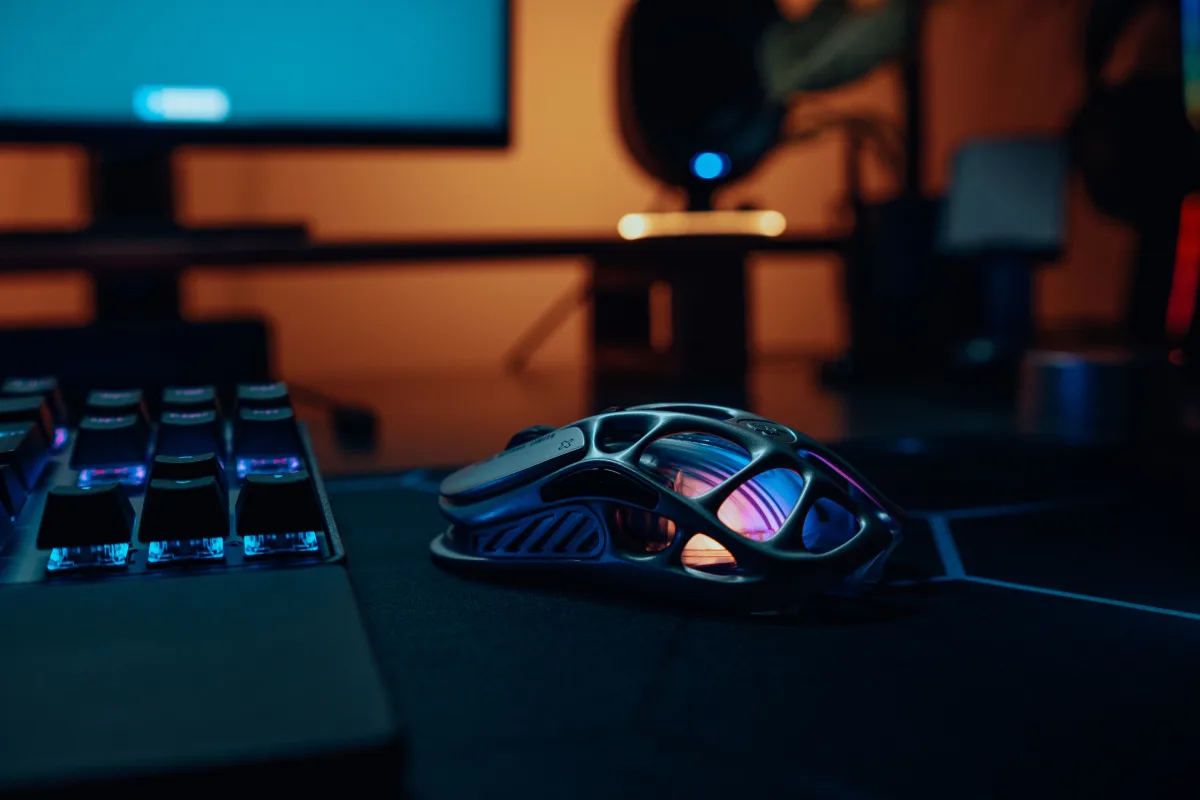
Short answer: For mice, wireless has essentially matched wired at the high end. For keyboards, the trade-off is real — and it's about battery management, not latency.
Here's how the key factors break down:
| Factor | Wired | 2.4 GHz Wireless | Bluetooth |
|---|---|---|---|
| Latency (gaming) | Lowest | Effectively equal to wired | Noticeably higher |
| Battery management | None required | Hours to days (model-dependent) | Varies widely |
| Cable drag (mice) | Present | None | None |
| Price premium | None | Moderate to significant | Low |
| Desk aesthetics | Cluttered | Clean | Clean |
| Recommended for | Budget builds, zero-compromise competitive | Most players, especially mouse users | Casual/productivity use only |
The single most important thing to understand: 2.4 GHz wireless and wired peripherals are now performance-equivalent for the vast majority of players. Protocols like Logitech LIGHTSPEED and Razer HyperSpeed have engineered the latency gap down to imperceptible levels. Bluetooth is a different story — it still introduces measurably higher latency and should be reserved for casual or productivity use, not competitive gaming.
Why the Wired vs. Wireless Question Hits Differently for Keyboards vs. Mice
Most buyers don't realize that keyboards and mice have fundamentally different trade-off profiles. Here's why:
For mice, wireless freedom is physical. Every time you move your hand across a mousepad, a wired cable creates drag, resistance, and occasionally catches on the desk edge. Wireless removes this entirely. For mice, freedom from cable is tactile and direct — it affects your aim.
For keyboards, wireless freedom is aesthetic. A keyboard sits stationary on your desk. You don't swing it across a mousepad. The benefit of going wireless is a tidier setup and less cable clutter — real, but organizational rather than mechanical.
Here's the catch: keyboard battery management is a significantly bigger issue than mouse battery management at equivalent price points.
Modern gaming keyboards in 2026 increasingly feature full-board RGB lighting, OLED displays, and onboard macro processors. These components draw substantially more power than a mouse's single optical sensor. A wireless mouse at the $100 price point might deliver 140+ hours between charges. A wireless keyboard with heavy RGB at the same price might deliver 15–30 hours.
A keyboard dying mid-session is also more disruptive. Keys are pressed continuously throughout a session — every movement command, every ability hotkey, every chat input. A mouse can briefly lose charge mid-movement in ways that are less catastrophic. Battery anxiety is a legitimate concern for wireless keyboard buyers that it largely isn't for wireless mouse buyers.
Best Gaming Keyboards of 2026: Top Picks by Use Case
Best Overall Wireless Gaming Keyboard: Asus ROG Strix Scope II 96 Wireless
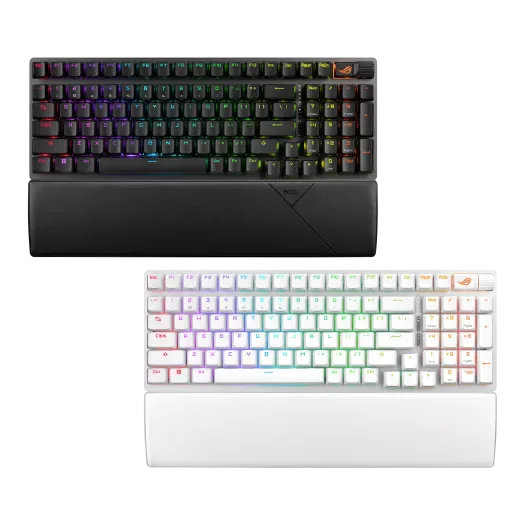
Tom's Hardware ranks this #1 in its 2026 gaming keyboard list, citing impressive battery life and tri-mode connectivity (2.4 GHz, Bluetooth, USB-C wired). The 96% layout retains most keys including the function row and navigation cluster while keeping the footprint smaller than full-size.
Best for: Players who want wireless flexibility without giving up function keys.
Limitation: 96% layout removes the numpad; not ideal if you use it heavily for gaming or work.
Best Keyboard for Switch Customization: Lemokey P1 HE Wireless
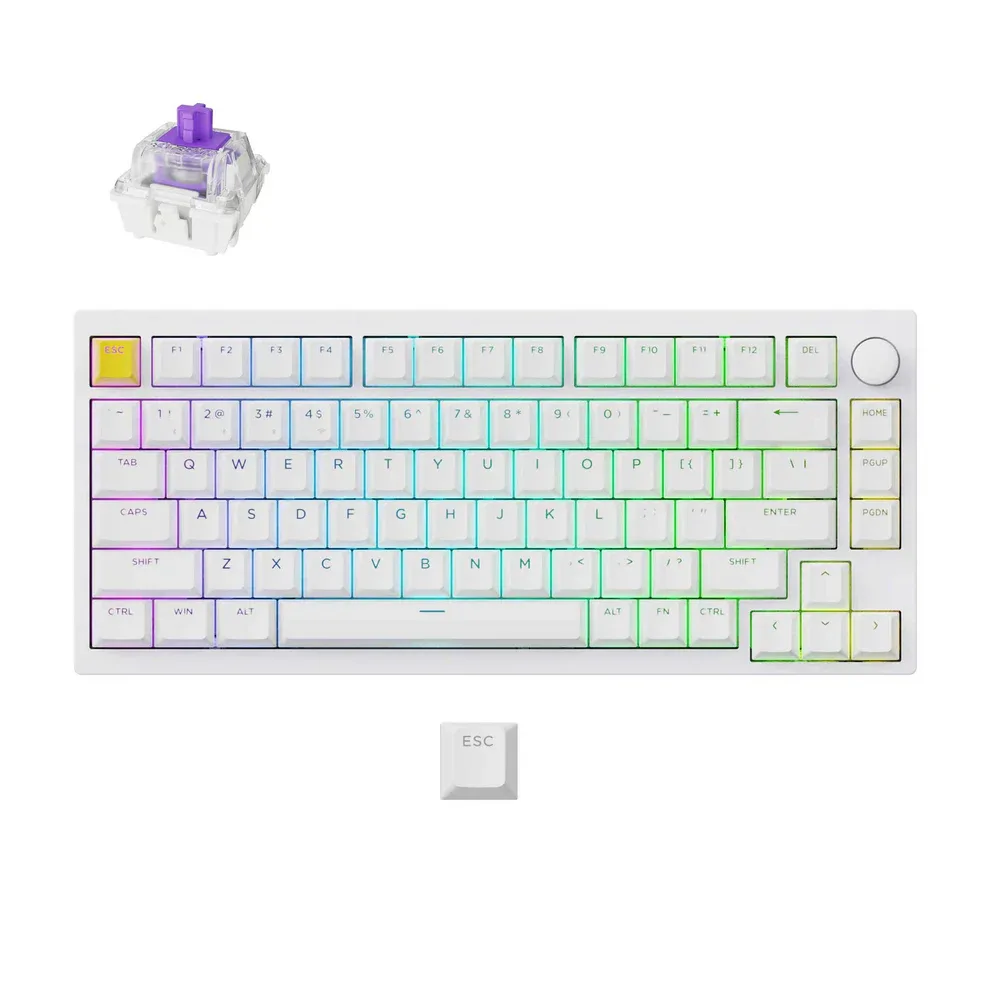
Wirecutter calls this the best gaming keyboard tested in the past year. It uses magnetic (Hall effect) switches that let you fine-tune actuation depth, enable rapid trigger (the key resets before reaching full travel), and bind multiple actions to a single key.
Specs: 60% layout, doubleshot PBT keycaps, wireless via USB-A dongle or Bluetooth, wired via USB-C, per-key RGB.
Best for: Competitive players who want precise actuation control, especially for FPS games.
Limitation: 60% layout drops function row, arrow keys, and navigation cluster — a dealbreaker for some players.
Best Wireless Hall Effect Keyboard Overall: Asus ROG Falcata
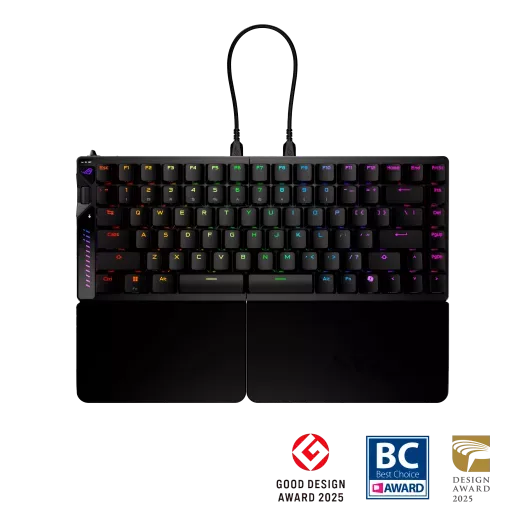
GamesRadar added the Falcata to its 2026 top list, calling it the best wireless Hall effect keyboard tested — beating Ducky and Glorious in overall feel, features, and battery life.
Best for: Players who specifically want Hall effect actuation in a wireless package at the current state of the art.
Limitation: Premium price; Hall effect wireless keyboards are still relatively rare and expensive due to higher power draw.
Best Compact Wireless Option: Logitech G Pro X 60
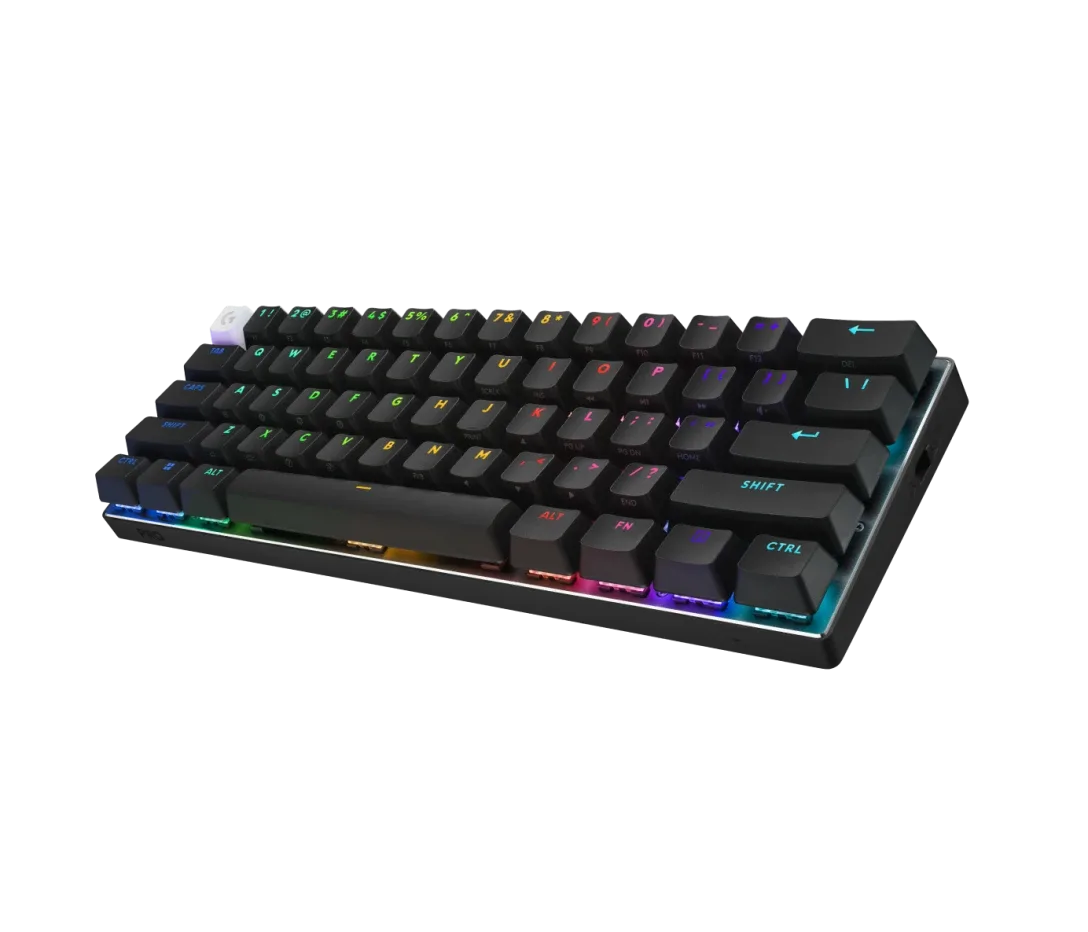
Per Wirecutter, this keyboard measures less than a foot wide and offers Logitech GX optical switches in linear and tactile variants. Connectivity: wireless via USB-A dongle, Bluetooth, and wired USB-C. Doubleshot PBT keycaps, per-key RGB.
Best for: FPS players who never use function keys and want maximum mouse space.
Limitation: 60% layout — deliberate trade-off, not a downgrade if you've already moved away from those keys.
Best Wireless Keyboard with Premium Tactile Switches: Razer BlackWidow V4 Pro 75%
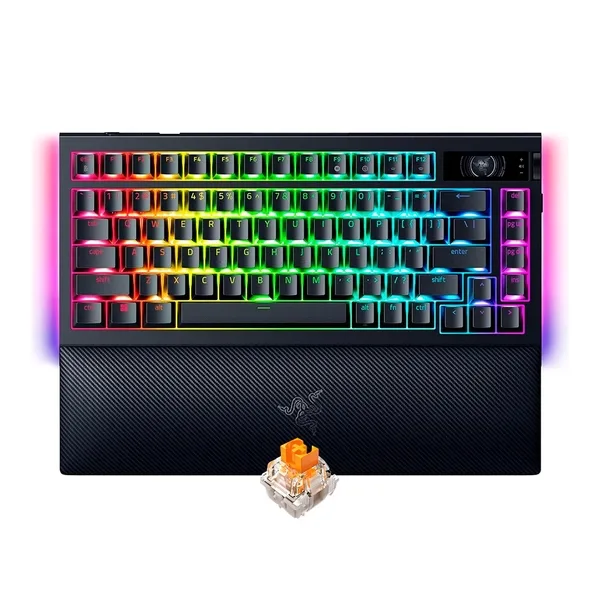
PCMag AU rates this Outstanding (4.5/5). Features: 81 keys in a 75% layout, Razer Orange Tactile Gen-3 switches (tactile bump, no audible click), 2.4 GHz wireless + Bluetooth + USB wired, per-key RGB, N-Key rollover, onboard profile storage, detachable magnetic palm rest.
Best for: Players who share a room or office and need tactile feedback without the click noise.
Limitation: Palm rest attachment is solid but adds bulk to transport.
Best Budget Wireless Keyboard: Redragon K556 PRO
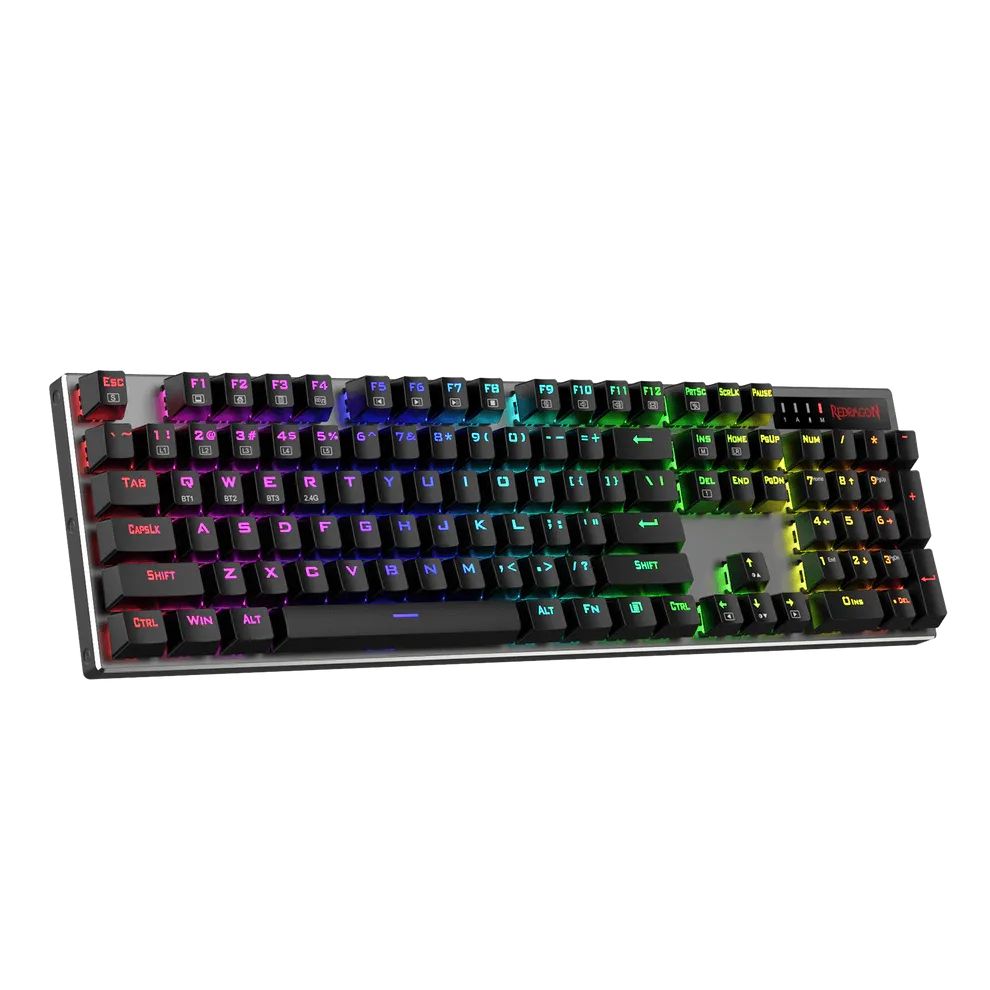
Eneba's 2026 wireless keyboard guide highlights the K556 PRO as the top pick for budget-conscious players who need wireless without paying flagship prices.
Best for: Entry-level wireless buyers testing the format before committing to a premium model.
Limitation: Feature set reflects the price — no Hall effect switches, limited customization software.
Best Gaming Mice of 2026: Top Picks by Use Case
If you're figuring out how your mouse fits into a larger setup, our 2026 gaming buyer's guide covering consoles, PCs, and accessories breaks down how to prioritize your total budget. For the mouse specifically:
Best Overall Wireless Gaming Mouse: Logitech G903 LIGHTSPEED
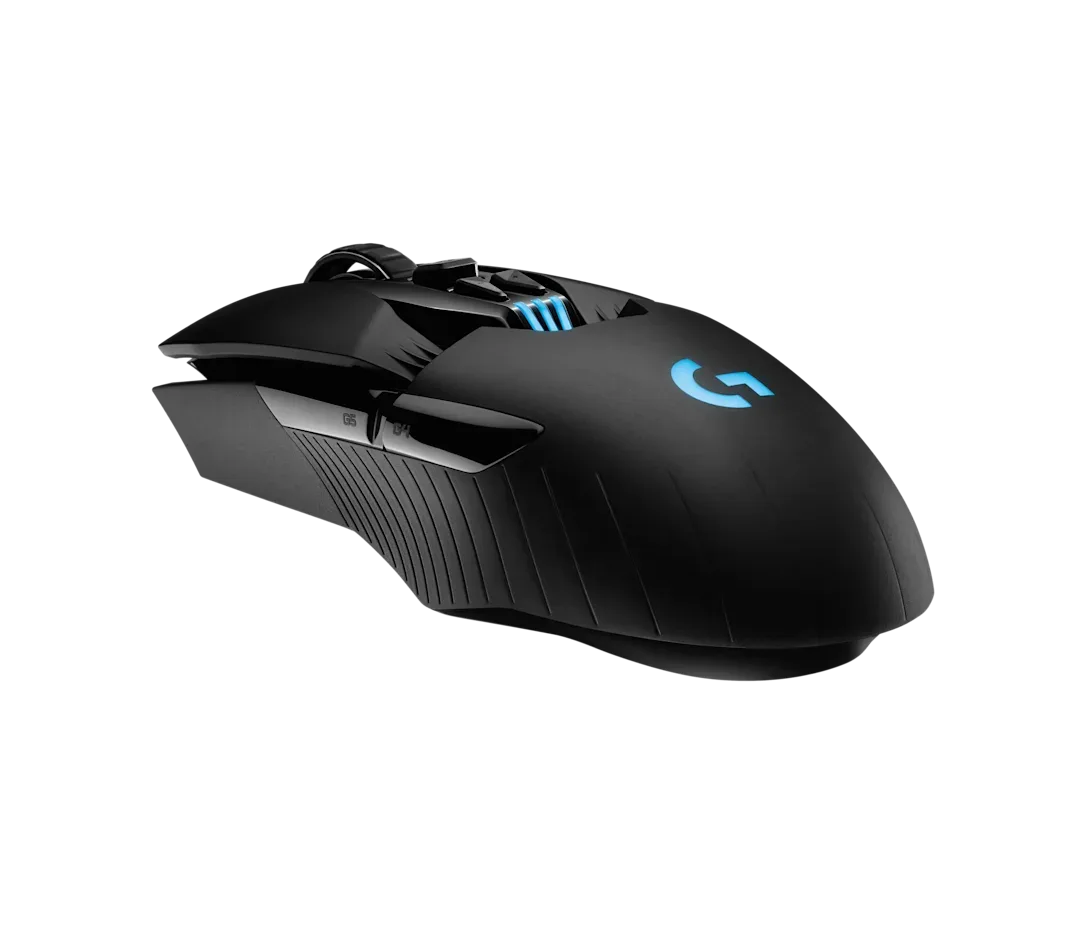
Per Empire Online: HERO sensor at 25,600 DPI, 1,000 Hz polling rate, tracking at 400+ IPS, 11 buttons with mechanical switches, ambidextrous design, weight adjustable 60–110g. Battery life: up to 140 hours with RGB off, up to 180 hours with Lightsync disabled. Supports Powerplay wireless charging while in use. Dimensions: 130 × 67 × 40 mm.
Best for: Players who want the Logitech LIGHTSPEED ecosystem, especially with a Powerplay charging mousepad.
Limitation: 1,000 Hz polling rate; competitors now offer 4,000–8,000 Hz at similar or lower prices.
Best Wireless Mouse for Competitive FPS: Razer DeathAdder V3 HyperSpeed
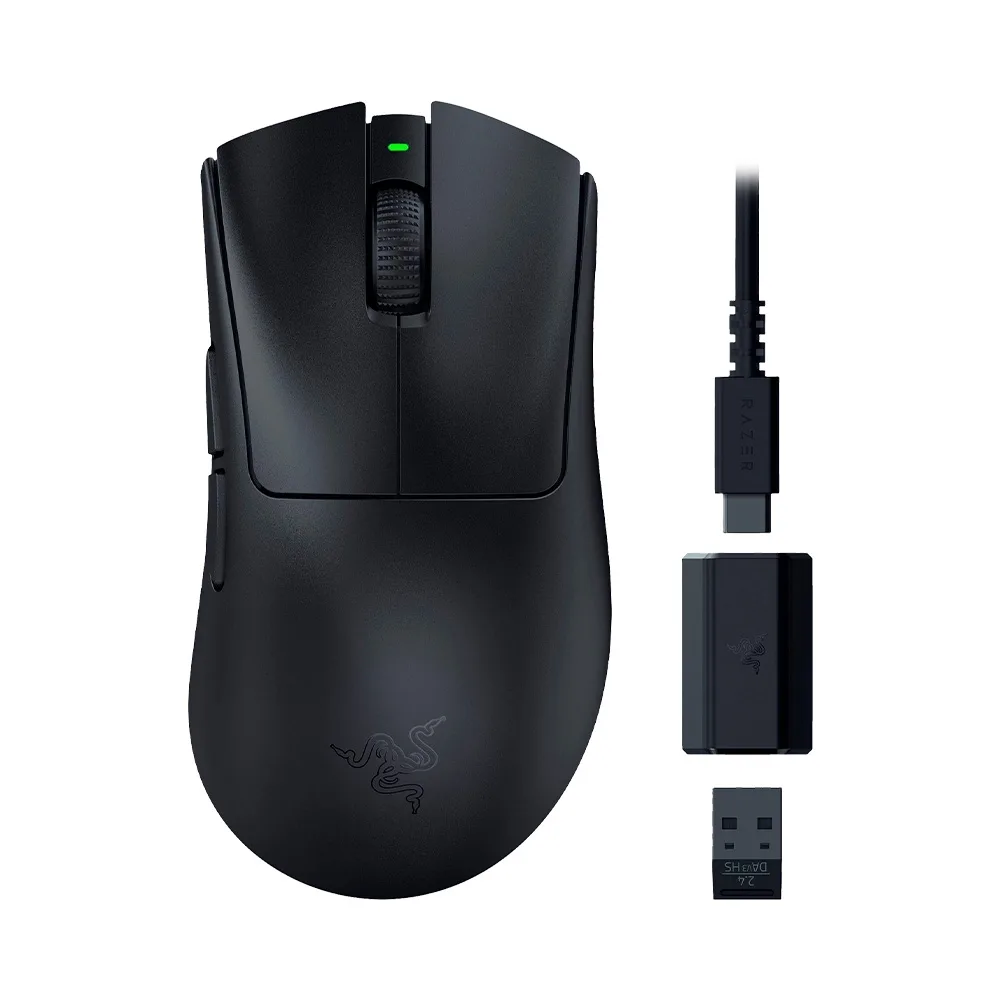
Empire Online documents the specs: Focus Pro 45K Optical sensor Gen 2 at up to 45,000 DPI, polling rate up to 8,000 Hz, tracking at 900 IPS, five buttons, Gen-4 switches.
The 8,000 Hz polling rate is the standout figure — it means the mouse reports its position 8,000 times per second, a level previously unavailable in wireless form. IGN notes that higher polling rates in 2026 are currently restricted to wireless mice, which is an unusual reversal of the usual wired-first technical hierarchy.
Best for: Competitive FPS and battle royale players who want maximum precision.
Limitation: Higher polling rates consume more battery; real-world battery life at 8,000 Hz is significantly less than rated at lower poll rates.
Best Budget Wireless Gaming Mouse: SteelSeries Aerox 3 Wireless
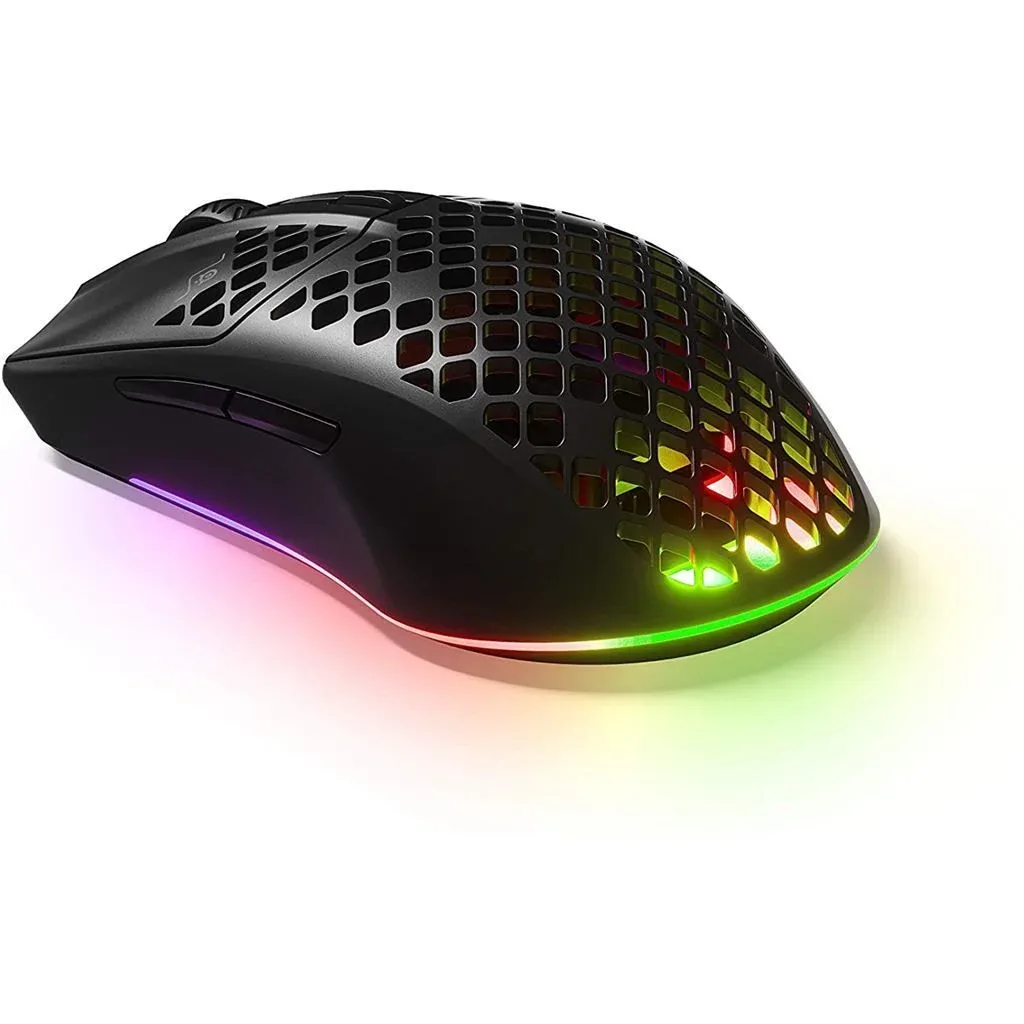
IGN recommends the Aerox 3 Wireless as the top affordable wireless pick. The wired version offers slightly better value per dollar, but if eliminating cable drag is the priority, the wireless version remains the strongest budget option.
Best for: Players switching from wired to wireless for the first time without a large budget.
Best Budget Wired Gaming Mouse: SteelSeries Rival 3 Gen 2
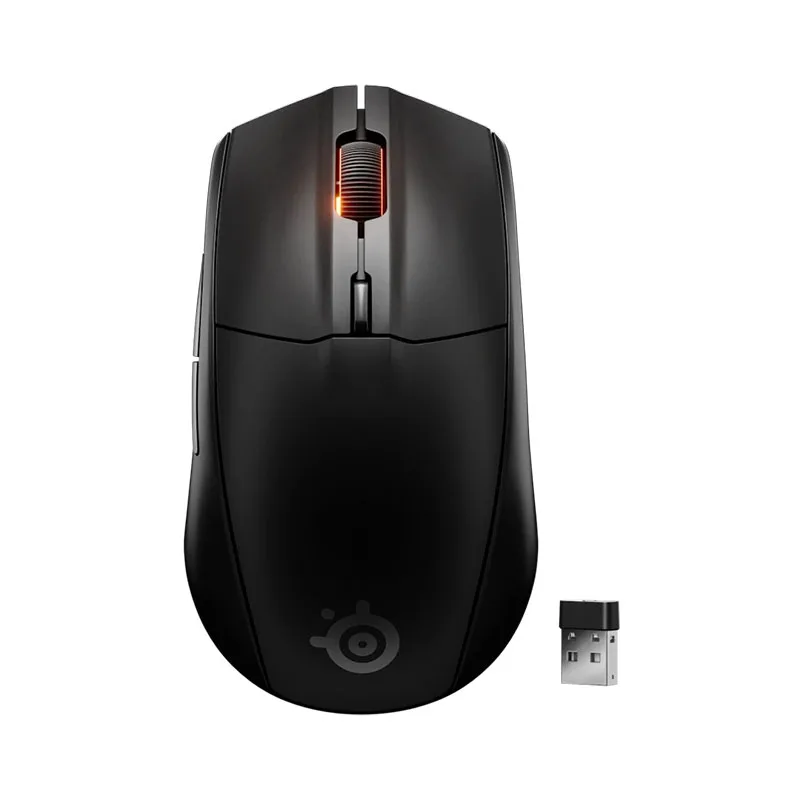
IGN's top budget wired recommendation. Described as having an unremarkable spec sheet — which is exactly the point. It delivers reliable, cable-drag-inclusive performance at a low price without features you won't use.
Best for: Players who prioritize value and have no preference for wireless.
Best Wireless Mouse for MMO Players: Redragon M913 Impact Elite
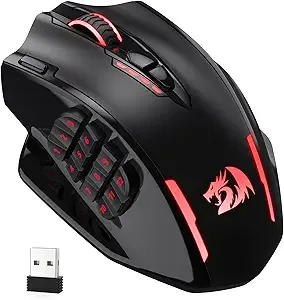
Redragon recommends the M913 for MMO players. Features: 16 programmable buttons, 2.4 GHz wireless, thumb grid layout for ability mapping.
Best for: MMO and MOBA players who rely heavily on side-button macros.
Limitation: Button-heavy design isn't ergonomic for all grip styles; test hold if possible before buying.
Quick Player Profile Reference
| Player Type | Top Mouse Pick |
|---|---|
| Budget FPS, wired | SteelSeries Rival 3 Gen 2 |
| Budget FPS, wireless | SteelSeries Aerox 3 Wireless |
| Competitive FPS, wireless | Razer DeathAdder V3 HyperSpeed |
| All-around, wireless | Logitech G903 LIGHTSPEED |
| MMO / MOBA, wireless | Redragon M913 Impact Elite |
Switch Types in 2026: Mechanical, Optical, and Magnetic — What Actually Matters
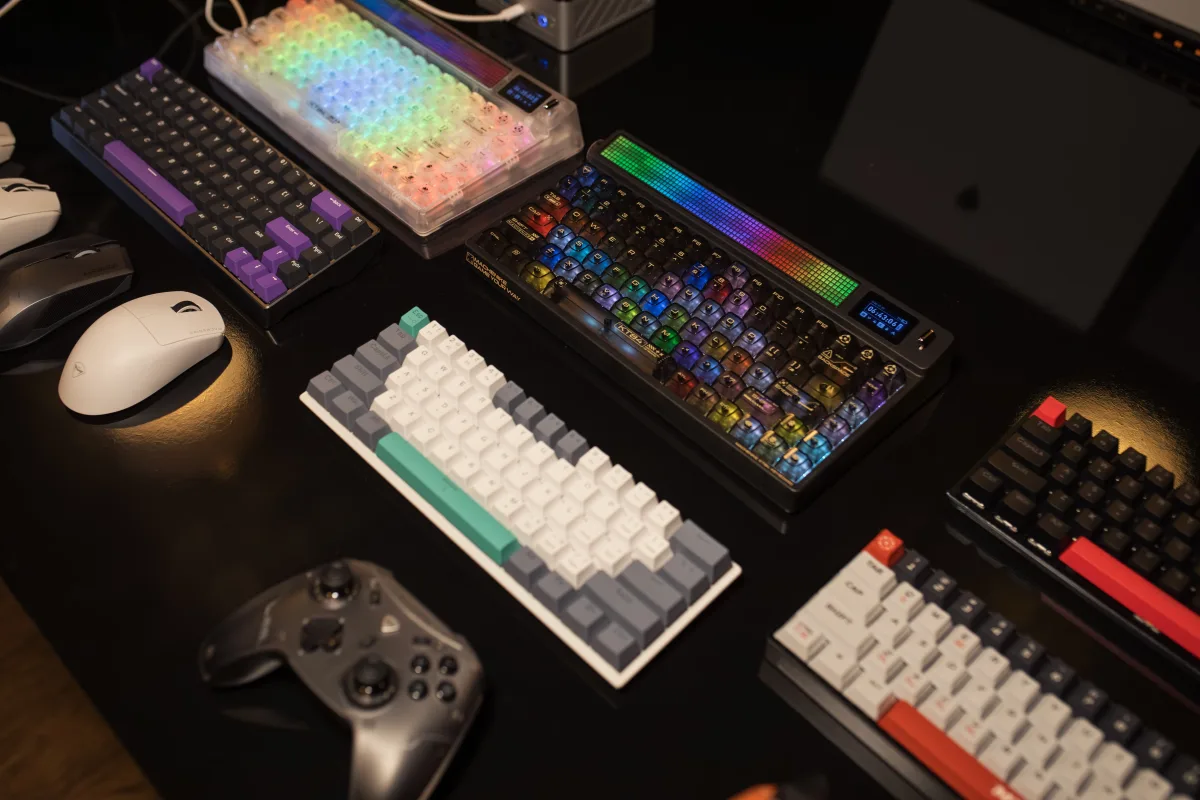
Switch type is the most underrated variable in a keyboard purchase. It affects feel, response speed, lifespan, and — critically in 2026 — wireless battery life.
Mechanical switches remain the most common. Tactile variants (like the Razer Orange Tactile Gen-3 in the BlackWidow V4 Pro 75%) provide a physical bump without an audible click. Linear variants offer smooth, quiet keystrokes. Mechanical switches are well-understood, widely available, and replaceable on hot-swap boards.
Optical switches use a light beam instead of physical contact to register a keystroke. This eliminates contact bounce, extends lifespan, and enables faster actuation. Found in the Logitech G Pro X 60 (GX optical) and the Razer Huntsman V3 Pro (listed among top keyboards by RTINGS.com).
Magnetic (Hall effect) switches are the newest category. They use magnets rather than physical or optical contact — no contact points to wear out, adjustable actuation depth, and rapid trigger support. Found in the Lemokey P1 HE Wireless and Asus ROG Falcata. The trade-off: GamesRadar's January 2026 update notes that magnetic decks are power-hungry, directly limiting the number of wireless Hall effect models on the market. TMR (Tunneling Magnetoresistance) technology is expected to improve this in late 2026.
For mice: optical sensors are universal at the high end in 2026. The Razer Focus Pro 45K Gen 2 (45,000 DPI, 900 IPS) and Logitech HERO (25,600 DPI, 400+ IPS) represent the two main benchmarks.
Keyboard Form Factor Guide: Which Layout Is Right for Your Setup?
Keyboard size affects both gameplay and your desk's day-to-day function. Here's what each layout actually means:
| Layout | Keys Retained | Best For |
|---|---|---|
| Full-size (100%) | Everything including numpad | Number-heavy games, dual productivity/gaming use |
| TKL (~87%) | All except numpad | FPS players wanting closer mouse position |
| 75% | Function row + arrows, compact | Balanced compactness, keeps navigation |
| 65% | Arrow keys, no function row | Compact without sacrificing navigation |
| 60% | Letters, numbers, modifiers only | Max mouse space; FPS focus |
The 96% layout (Asus ROG Strix Scope II) sits between TKL and full-size — it keeps arrows, navigation, and function row while removing only the gap between the main key area and the numpad column. Tom's Hardware highlights this as a major reason it tops the 2026 list: most keys, least wasted space.
The 75% layout (Razer BlackWidow V4 Pro 75%) is the sweet spot for players who use function keys and arrow keys regularly but want a smaller footprint than TKL.
The 60% layout (Lemokey P1 HE, Logitech G Pro X 60) is for committed minimalists — primarily FPS players who've already remapped or don't use the keys being removed.
Is Wireless Worth the Price Premium in 2026?
For most players: yes for mice, conditional for keyboards.
For a wireless mouse, you're paying for the removal of cable drag — a physical impediment to movement. At the mid-range ($60–$100), you can now get 2.4 GHz wireless with polling rates at or above wired equivalents. The premium is justified.
For a wireless keyboard, you're paying for a cleaner desk. That's a real benefit, but it comes with battery management overhead. If you can commit to a charging schedule, or if you choose a model with genuinely long battery life (like the Asus ROG Strix Scope II 96 Wireless), the premium makes sense. If you forget to charge or play long sessions without breaks, wired remains the friction-free choice.
There's also a budget floor to consider. Below ~$50, wireless keyboard and mouse options often compromise on connection stability or build quality in ways that make wired the cleaner recommendation. The best cheap game key and gaming deals resource can help you find budget room elsewhere in your setup.
Building a Complete Gaming Setup Around Your Peripherals
Keyboards and mice don't exist in a vacuum. Your desk setup, PC or console, and even game subscription services all affect which peripherals make sense.
- For setup and cable management considerations: see our best gaming desks 2026 guide — especially relevant if you're choosing wireless to reduce cable clutter.
- For choosing between PC and console: our gaming buyer's guide 2026 covers the full picture.
- For controller recommendations (relevant if you also play controller-first games): see best gaming controllers 2026.
- For laptop gaming setups where keyboard/mouse choice intersects with portable vs. desktop play: see best gaming laptops 2026.
- If you're evaluating subscription services to maximize your game library alongside a new peripheral purchase: best game subscription services 2026 compares Xbox Game Pass, PS Plus, and Nintendo Online.
Frequently Asked Questions
Is wireless gaming keyboard/mouse latency really the same as wired in 2026?
For 2.4 GHz wireless connections using premium protocols (Logitech LIGHTSPEED, Razer HyperSpeed), yes — the difference is below the threshold of human perception in real-world gaming. Bluetooth is the exception; it introduces measurable additional latency and is not recommended for competitive play.
What polling rate do I actually need?
For most players, 1,000 Hz is sufficient and was the competitive standard until recently. 4,000–8,000 Hz polling rates (available on some wireless mice in 2026) provide finer position tracking, which matters most in high-sensitivity competitive FPS play. At 8,000 Hz, expect reduced battery life compared to rated specs at lower settings.
Are Hall effect keyboard switches worth it?
Rapid trigger and adjustable actuation are genuinely useful for competitive play, particularly in games where early key release matters. The Lemokey P1 HE Wireless is the most accessible entry point. The main downside in wireless form is reduced battery life compared to mechanical or optical switch keyboards at similar sizes.
Should I buy a combo keyboard and mouse, or buy them separately?
Buying separately gives you the best option in each category and lets you upgrade one without replacing both. Combo packs at budget price points can offer value but typically compress specifications in ways that limit longevity or performance.
What's the best keyboard layout for FPS gaming?
TKL (no numpad) or 60% (no numpad, no function row, no arrows) are most common among competitive FPS players. Both free up desk space for a larger mousepad, which supports lower sensitivity aim. The right choice depends on whether you use function keys and arrow keys in your daily workflow.
Final Recommendations by Player Type
| Player Type | Keyboard Pick | Mouse Pick |
|---|---|---|
| Competitive FPS, no budget limit | Lemokey P1 HE Wireless | Razer DeathAdder V3 HyperSpeed |
| All-around gamer, wireless | Asus ROG Strix Scope II 96 | Logitech G903 LIGHTSPEED |
| Tactile preference, quiet office | Razer BlackWidow V4 Pro 75% | SteelSeries Aerox 3 Wireless |
| MMO/MOBA player | Asus ROG Strix Scope II 96 | Redragon M913 Impact Elite |
| Budget-first build | Redragon K556 PRO | SteelSeries Rival 3 Gen 2 |
| Hall effect enthusiast | Asus ROG Falcata | Razer DeathAdder V3 HyperSpeed |