This guide was researched and drafted with AI assistance, then reviewed and fact-checked by our editorial team before publishing. Our analysis synthesizes independent testing from Tom's Hardware, PCMag, PCWorld, Wired, CNN Underscored, RTINGS.com, Forbes Vetted, and Ultrabookreview.com, plus market data from market.us. We cite every source. We don't accept payment for rankings. How we review · Affiliate disclosure
Quick Verdict: Best Gaming Laptops in 2026 by Use Case
The most important question before reading any spec sheet is not which GPU is fastest — it's which machine fits your actual life. Here's the one-line map:
- Best portable gaming laptop: Razer Blade 14 (PCMag Editors' Choice, ~$2,299)
- Best mid-range value: Alienware 16X Aurora (~$1,999 — Intel Core Ultra 9 + RTX 5070, nearly 7-hour battery)
- Best budget pick: Acer Predator Helios 18 (under $1,500) or Alienware 16 base (~$1,100)
- Best premium all-rounder: Asus ROG Strix Scar 16 (Mini LED 240Hz, RTX 5080)
- Best ultra-premium: Razer Blade 18 (~$4,199 — RTX 5090, 18-inch dual-mode display)
- Best for frequent travelers / students: Asus Zephyrus G14 (~3.3 lbs, 32GB RAM)
- Best desk-primary mid-range: Dell G16 7630 (sustained performance, 16-inch display)
None of these is universally best. Each fits a specific buyer profile. The decision framework below will tell you which one that is for you.
TL;DR — What You Need to Know Before Buying
- Gaming laptops deliver roughly 50–70% of equivalent desktop GPU performance due to thermal and power constraints. That gap nearly disappears in esports titles. It shows up most in 4K and sustained heavy workloads.
- Thermal throttling — not raw GPU tier — is the hidden performance killer. A laptop that throttles under load can underperform one with a lower-spec GPU that sustains its clocks cleanly.
- Screen size is a portability decision first, a display preference second. A larger chassis physically enables higher GPU wattage, better cooling, and longer battery. Choose your size before choosing your GPU.
- 32GB RAM is the new baseline in 2026. 16GB starts to feel tight with a game, Discord, a browser, and streaming open simultaneously.
- Price does not scale linearly with gaming performance. The jump from $1,100 to $2,000 delivers a noticeable gaming improvement. The jump from $2,000 to $4,000 mostly buys build quality, display technology, and chassis engineering — not proportional gaming gains.
- Wi-Fi 7 vs. Wi-Fi 6E matters less than most buyers think for in-home gaming. Latency differences in real-world home network conditions are negligible for the vast majority of players.
- The global gaming laptop market was valued at $15.1 billion in 2025 and is projected to reach $25.1 billion by 2035 (CAGR 5.2%), per market.us. The market is growing because the performance gap with desktops is genuinely narrowing.
The Three Decisions That Determine Which Laptop to Buy

Most buyers spend hours comparing GPU benchmarks and miss the three decisions that actually determine whether they'll be happy with their purchase six months from now.
Decision 1: Where do you actually game?
Be honest. If your laptop has been on your desk for three of the last four weeks, you are a desk-primary gamer who bought a portable machine — and paid a portability premium you didn't need. If you genuinely game in hotel rooms, airports, coffee shops, and on trains, portability is a real requirement and worth paying for.
This single question determines whether you should be looking at 14-inch ultraportable machines (~3.5 lbs) or 15–16-inch performance machines (~5–6 lbs).
Decision 2: What do you actually play?
Esports titles — Valorant, CS2, League of Legends, Rocket League — are optimized for high frame rates at modest graphical loads. A mid-range $1,100–$1,500 gaming laptop will hit 200+ fps in those titles without breaking a sweat. The performance gap between a $1,100 laptop and a $3,000 laptop barely shows up in these games.
Demanding AAA open-world titles, 4K gaming, and content creation workloads are where the premium tier starts to justify its price. If you're primarily an esports player, you're overpaying significantly for anything above the mid-range.
Decision 3: What is your real budget including the next two years?
A $2,000 laptop with tool-free RAM and SSD access — like the Asus ROG Strix Scar 16 — can be upgraded two years from now to extend its useful life. A $1,500 laptop with soldered RAM cannot. Factor upgradeability into your total cost of ownership before committing to the lowest sticker price.
How This Guide Was Researched
This is a research-based guide — not a hands-on test by Trusted Buyer Report. Our analysis draws from:
- Tom's Hardware: sustained-load testing including thermal performance over extended gaming sessions; named the Razer Blade 18 as among the strongest laptop gaming performance tested
- PCMag: Editors' Choice designations for the Razer Blade 14 (best portable, 4.5/5) and ROG Strix Scar 16; flagged tool-free upgradability on the Scar 16
- PCWorld: reviewed the Alienware 16X Aurora at $1,999.99, noting 7-hour battery life and competitive value at spec
- Wired: named the Lenovo LOQ 15 as a strong mid-range option; described the ASUS ROG Flow Z13 as a legitimate gaming 2-in-1 for specific buyer profiles
- CNN Underscored: confirmed most gaming laptops fall in the 15–16-inch range; identified the $1,000–$1,500 tier as the entry point for solid 1080p gaming
- Forbes Vetted: rated the MSI Vector 16 HX AI A2XW 4.3/5 as premium runner-up; noted its drop-proof build quality and 240Hz display
- RTINGS.com: includes the Asus TUF Gaming A16 Advantage Edition as a tested budget option
- Ultrabookreview.com: organizes the market into four size tiers; describes 14-inch machines as "the sweet spot of performance and portability" with "somewhat more limited power settings"
- Eneba: benchmarks for the Asus Zephyrus G14, Dell G16 7630, and MSI Katana A17
- market.us / Icon Era: market size data; desktop vs. laptop gaming share (73.4% vs. 26.6%)
All Models at a Glance: Price, GPU, and Key Trade-offs

| Model | Price (approx.) | GPU | Display | Weight | Key trade-off |
|---|---|---|---|---|---|
| Alienware 16 (base) | ~$1,100 | RTX 5050 | 16" 1080p IPS | 5–6 lbs | Lower GPU limits demanding titles |
| Acer Predator Helios 18 | Under $1,500 | RTX 5060 | 18" 1080p/1440p IPS | Heavy | Display quality; bulky chassis |
| Lenovo LOQ 15 | ~$1,200–$1,500 | RTX 5060 | 15" 1080p/1440p | ~5 lbs | Mid-range ceiling; no OLED option |
| MSI Katana A17 | ~$1,200–$1,600 | RTX 5060/5070 | 17" 1080p IPS | ~5.5 lbs | Loud fans; plastic build |
| Dell G16 7630 | ~$1,400–$1,800 | RTX 5070 | 16" IPS | ~5.5 lbs | Average battery life |
| Alienware 16X Aurora | ~$1,999 | RTX 5070 | 16" 2560×1600 IPS | 5.86 lbs | Side exhaust vents; PCIe 4.0 SSD |
| Razer Blade 14 | ~$2,299 | RTX 5070 | 14" QHD+ | ~3.9 lbs | Smaller screen; thermal limits |
| Asus Zephyrus G14 | ~$1,800–$2,200 | RTX 5070 | 14" OLED/IPS | ~3.3 lbs | Lower sustained TDP vs. larger chassis |
| Asus ROG Strix Scar 16 | $2,500+ | RTX 5080 | 16" Mini LED 240Hz | ~5.5 lbs | Loud fans; high price |
| MSI Vector 16 HX AI A2XW | $2,500+ | RTX 5080 | 16" 240Hz | Heavy | Dated design; offset keyboard |
| Razer Blade 18 | ~$4,199 | RTX 5090 | 18" dual-mode | ~6.4 lbs | PCIe 4.0 SSD at this price; very expensive |
The Real Performance Gap: What 50–70% of Desktop Power Means
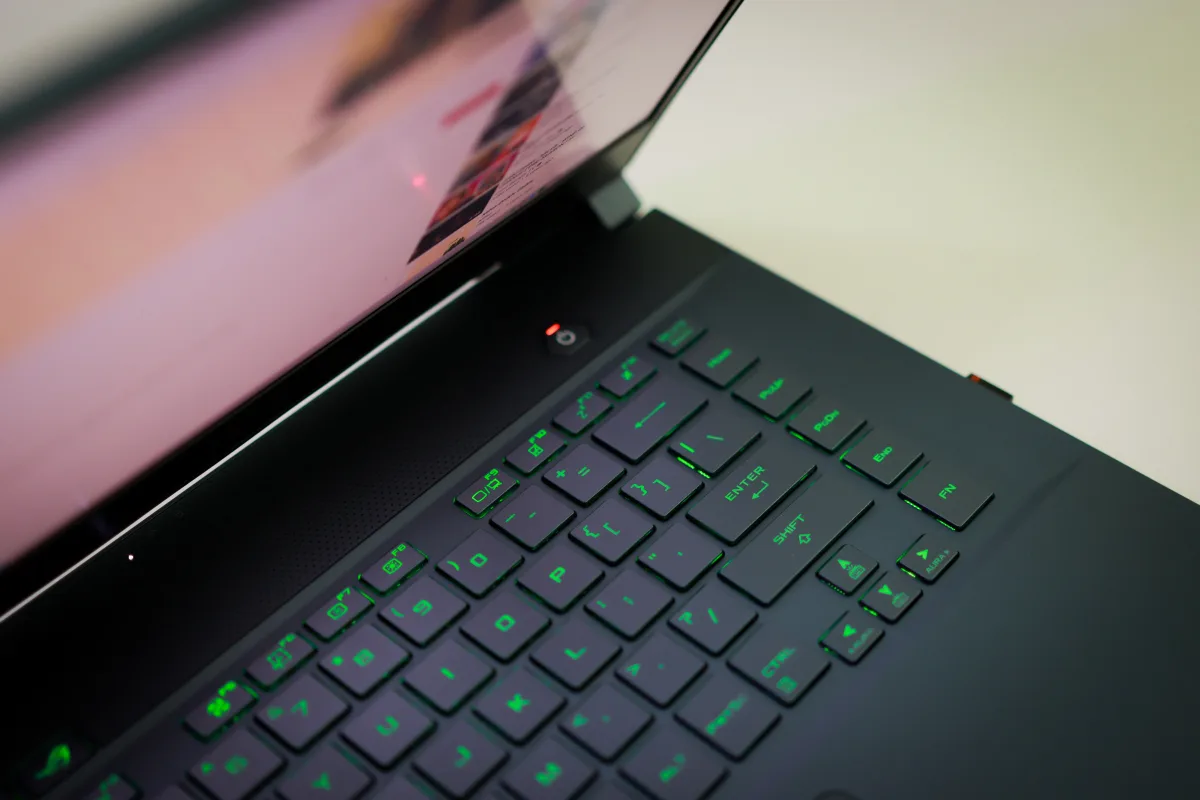
Gaming laptops in 2026 achieve roughly 50–70% of equivalent desktop GPU performance. This figure comes from thermal and power constraints that are structural — not fixable by a firmware update or software tweak.
A desktop RTX 5080 runs at full TDP with unrestricted airflow and no weight budget. The same GPU in a laptop chassis operates at a fraction of that wattage to avoid damaging the internals. Nvidia's laptop GPU naming convention (RTX 5080 Laptop GPU vs. RTX 5080) reflects this distinction — the names match, but the power envelopes don't.
What does that gap feel like in practice? It depends entirely on what you play:
Esports titles (Valorant, CS2, Rocket League, League of Legends): The gap nearly disappears. These games are optimized for high frame rates at modest graphical loads. A mid-range gaming laptop at $1,100–$1,500 will consistently deliver 200+ fps without strain. Spending $4,000 here produces diminishing returns that most players won't notice.
AAA titles at 1080p/1440p (high settings): Mid-range laptops deliver smooth, playable frame rates. The RTX 5070-class delivers comfortable 1440p gaming in most current titles.
Demanding AAA at 4K or ultra settings, extended sessions: This is where the desktop gap is most visible and where the $3,000+ tier starts to justify itself. RTX 5080 and 5090 configurations are the only laptop options that handle 4K gaming without significant compromise.
Here's the part most marketing materials skip: thermal throttling — not the GPU tier on the box — is what determines real gaming performance. A laptop with a high-tier GPU that throttles under sustained load can produce lower frame rates after 45 minutes than a laptop with a lower-tier GPU that sustains its clock speeds cleanly. This is why review sites run sustained load tests over full gaming sessions. Always look for sustained performance data, not just peak benchmark scores.
Budget Tier (Under $1,500): Genuine Gaming Value, Not a Compromise

Sub-$1,500 gaming laptops in 2026 can handle most AAA titles at 1080p on medium-to-high settings. That was not reliably true three years ago — the budget tier has improved faster than any other segment, largely because RTX 5060-class GPUs now deliver performance that would have been mid-range in 2023.
Alienware 16 base (~$1,100) — RTX 5050
Wired notes this as one of the most accessible branded gaming laptops available. The RTX 5050 handles esports titles and older AAA games comfortably. Demanding open-world titles at high settings will require lowering some settings, but the performance-per-dollar at this entry point is legitimate. The Lenovo LOQ 15 is a competitive alternative at a similar or lower price with a slightly smaller 15-inch chassis.
Acer Predator Helios 18 (under $1,500) — RTX 5060
The most frequently cited budget-tier anchor in 2026. Heavier chassis than premium alternatives, and display quality reflects the price, but for raw gaming output per dollar, it competes well. Buyers should watch for deal pricing — this model fluctuates.
MSI Katana A17 (~$1,200–$1,600) — RTX 5060/5070
A strong choice for buyers who want a large display and consistent frame rates without flagship pricing. MSI's Cooler Boost technology keeps performance stable during intense sessions — a genuine engineering differentiator that matters for sustained gaming, not just benchmark sprints. Eneba's testing specifically credits the Cooler Boost system with maintaining stable performance during intense play.
Common trade-offs at this tier: 1080p displays rather than 1440p (pixel density becomes visibly soft on 16+ inch screens), shorter battery under gaming load, louder fan behavior, and plastic chassis construction. These are not dealbreakers — they're the honest price of entry at this budget.
Mid-Range Tier ($1,500–$2,500): The Sweet Spot — If You Choose Correctly
This is where the most competitive models cluster and the hardest decisions live. The good news: any well-chosen laptop in this range handles virtually every current game at 1440p with high settings and smooth frame rates. The RTX 5070 is the workhorse GPU of 2026, and it earns that title.
Alienware 16X Aurora (~$1,999) — Best Value Mid-Range
PCWorld's tested review covers this in detail: Intel Core Ultra 9 275HX, RTX 5070, 32GB DDR5 RAM, 1TB PCIe 4.0 SSD, 16-inch 2560×1600 IPS display. Battery life came in at just under 7 hours — competitive for this performance level. PCWorld describes it as offering "very competitive pricing" for its spec sheet. The one ergonomic note: hot air exits from the sides of the chassis, which can be uncomfortable on a confined desk. It's a quirk worth knowing before you buy, not a reason to avoid it.
Best for: Desk-primary gamers who want maximum performance per dollar in the mid-range and occasionally move the machine.
Razer Blade 14 (~$2,299) — Best Portable Mid-Range
PCMag Editors' Choice for best portable gaming laptop, rated 4.5/5. At approximately 3.9 pounds, it's meaningfully lighter than most 15–16-inch machines. The trade-off is straightforward: smaller screen (14-inch QHD+) and the thermal limits inherent to a compact chassis. Ultrabookreview.com describes 14-inch gaming laptops as capable of handling demanding workloads but with "somewhat more limited power settings and performance" — the GPU runs at lower TDP than in a full-chassis machine. If you're plugging into an external monitor at home, the screen size matters less. If you game on the built-in display, factor it in.
Best for: Frequent travelers, students, anyone who genuinely carries their laptop to different locations for gaming.
Asus Zephyrus G14 (~$1,800–$2,200) — Best Ultra-Portable
At approximately 3.3 pounds — lighter than the Blade 14 — the Zephyrus G14 ships with 32GB of RAM and handles competitive gaming and productivity workloads without punishing your back. Eneba's testing credits the G14's cooling system specifically with keeping temperatures manageable during extended sessions despite the compact chassis. The newer G14 and G16 models are among the first to receive Intel's Panther Lake Core Ultra Series 3 chips following CES 2026.
Best for: Travelers and students who want the lightest capable machine and can accept a lower GPU TDP ceiling.
Dell G16 7630 (~$1,400–$1,800) — Best Desk-Primary Mid-Range
The right balance for buyers who game mostly at home but want to travel occasionally. The larger chassis enables higher sustained GPU performance, the 16-inch display is immersive, and the price-to-performance ratio is competitive. This is the archetype that fits most gaming laptop buyers who are honest about how often they actually leave the house with their machine.
Premium Tier ($2,500 and Above): What You're Actually Paying For

Here's the honest answer: at $2,500 and above, you are mostly not buying proportionally more gaming performance. Most AAA games in 2026 run excellently on a well-configured $2,000 laptop. What the premium tier delivers is build quality, display technology, sustained performance under extended load, and chassis engineering that changes the daily-use experience.
If you cannot clearly articulate why you need more than what the Alienware 16X Aurora delivers at $1,999, spend time with that question before committing to $2,500 or more.
Asus ROG Strix Scar 16 ($2,500+) — Best Premium All-Rounder
PCMag's testing calls out blazing gaming performance, a sharp Mini LED 240Hz display, effective cooling, and longer-than-expected battery life for the performance level. The high price is justified by those attributes taken together. The real trade-off is fan noise — the cooling system is effective, but it is loud under sustained gaming load. For users with headphones or noise cancellation, this is a non-issue. For shared spaces, it's worth knowing.
One meaningful practical advantage: tool-free RAM and SSD access. At $2,500+, being able to upgrade storage or RAM two years from now without voiding a warranty extends the useful life of the investment significantly. Not all machines in this tier offer that — the Scar 16 does.
Best for: Power users and creators who game heavily, want the best display quality available, and value longevity.
MSI Vector 16 HX AI A2XW ($2,500+) — Premium Runner-Up
Forbes Vetted rated this 4.3/5 as the runner-up in the premium gaming category. Testers praised its exceptional build quality — Forbes notes one tester joked they'd worry more about the floor than the laptop if it were dropped. The 240Hz display performs well even at lower brightness. The drawbacks are design-related: the chassis aesthetic feels dated compared to Razer's, and the keyboard is offset to the left, which can cause right-handed users to accidentally brush the trackpad. These are ergonomic quirks rather than performance failures, but they affect daily usability in ways that matter over months of ownership.
Razer Blade 18 (~$4,199) — Ultra-Premium Desktop Replacement
Tom's Hardware describes the Blade 18 as offering some of the strongest gaming performance they've tested in a laptop, with a slim 18-inch chassis and class-leading battery life. The dual-mode display is a genuine differentiator — it supports both high-resolution rendering for story-driven games and high-refresh-rate output for esports titles, which means you're not forced to choose between use cases.
At $4,199, one spec stands out as a legitimate criticism: the Blade 18 ships with a PCIe 4.0 SSD rather than PCIe 5.0. Tom's Hardware flags this explicitly. It's not a dealbreaker for gaming, but at this price, it's worth knowing.
Best for: Buyers who want a genuine desktop replacement in a premium chassis and have the budget to match.
Screen Size as a System Decision: 13-inch to 18-inch Explained
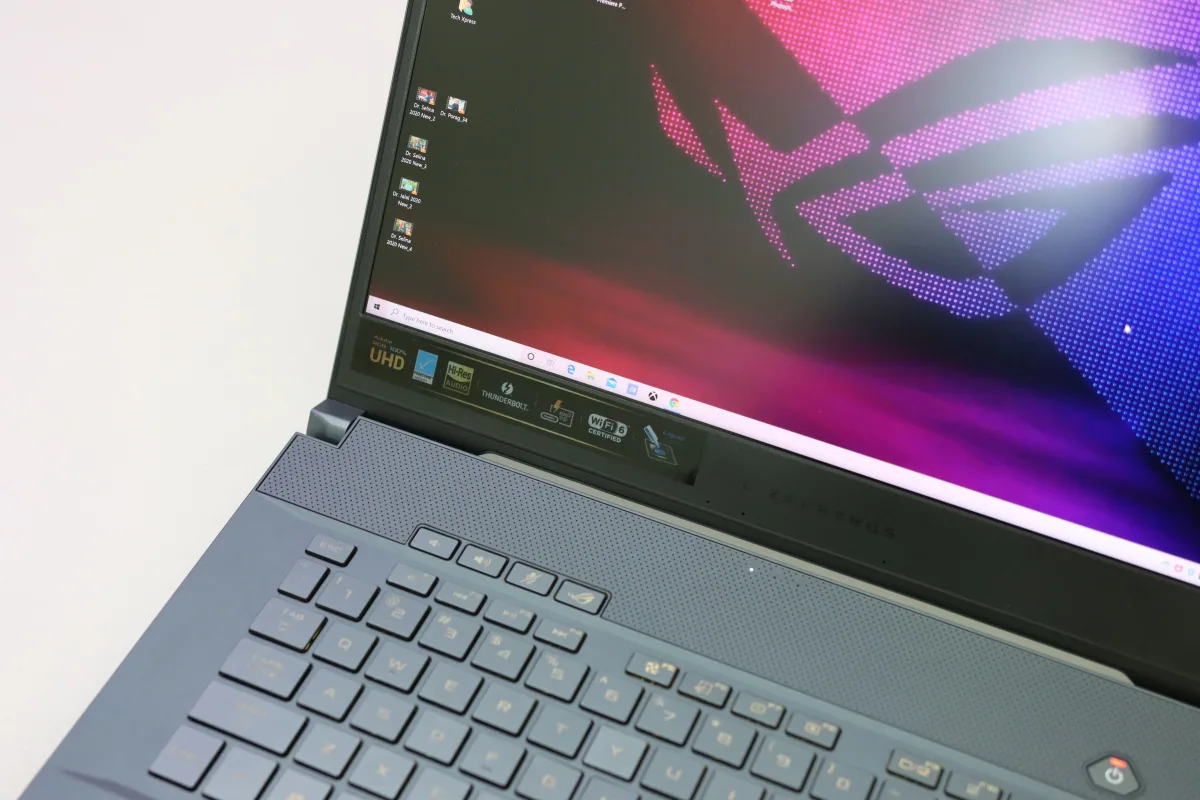
Screen size is not just a display preference. It is the physical decision that determines weight, thermal capacity, GPU TDP ceiling, battery size, and whether the machine fits in a standard backpack. Choose your screen size before you choose your GPU.
| Screen size | Weight class | GPU TDP ceiling | Battery life | Best for |
|---|---|---|---|---|
| 13–14 inch | 3–4 lbs | Lower (thermally constrained) | 6–10 hrs (light use) | Daily carry, students, travel |
| 15–16 inch slim | 4–5 lbs | Medium | 4–7 hrs | Balanced portability + performance |
| 16–18 inch full-power | 5–7 lbs | Higher | 3–5 hrs | Desk-primary, power users, creators |
The physics is simple: a larger chassis accommodates more heat pipes or a vapor chamber, larger fans, and higher-wattage GPU configurations. A 14-inch machine running the same GPU model as an 18-inch machine is almost certainly running it at lower TDP. That's not a defect — it's a deliberate engineering tradeoff to keep the chassis cool and quiet at a portable weight.
CNN Underscored confirms that most gaming laptops fall in the 15–16-inch range as the practical balance of power, screen real estate, and portability. Seventeen-inch and 18-inch models provide the largest screens and most powerful component configurations, but as CNN Underscored notes, "aren't as convenient to lug around" — which is an understatement if you commute daily.
Key Specs That Actually Determine Gaming Performance
GPU: Prioritize This Above Everything Else
The GPU determines gaming performance more than any other component. In 2026:
- RTX 5050 — Esports and older AAA titles. Entry point.
- RTX 5060 — Most AAA titles at 1080p/1440p on medium-high settings. Strong budget-tier choice.
- RTX 5070 — Current AAA games at 1440p with high settings. The mid-range workhorse.
- RTX 5080 — Handles demanding titles at 1440p ultra or light 4K. Premium tier.
- RTX 5090 — 4K gaming with headroom. Ultra-premium only.
Within a price band, prioritize GPU tier above CPU tier. CPU matters significantly for streaming while gaming, simulation-heavy titles, and content creation, but for pure gaming performance, GPU is the primary lever.
Display: Match the Panel to the GPU
A 240Hz display is meaningless if the GPU can't push frame rates high enough to use it. A high-resolution display paired with a weak GPU forces you to lower resolution to maintain playable frame rates. Match them:
- RTX 5060/5070 → 1440p at 144–165Hz IPS is the right pairing
- RTX 5080 → 1440p at 240Hz or Mini LED 240Hz (like the ROG Strix Scar 16)
- RTX 5090 → 4K or dual-mode 18-inch (like the Razer Blade 18)
For content creation alongside gaming, OLED panels deliver contrast and color accuracy that IPS cannot match. The Zephyrus G14's OLED option is worth the premium if you do any photo/video work.
RAM: 32GB Is the New Baseline
16GB is the functional minimum. 32GB DDR5 is the practical recommendation for 2026. Running a game, Discord, a browser with 15 tabs, and a streaming overlay simultaneously pushes a 16GB system under memory pressure. The Alienware 16X Aurora ships with 32GB at $1,999 — machines that ship with 16GB at similar prices are a yellow flag.
Storage: NVMe SSD, Non-Negotiable
HDD-based gaming is no longer viable. Load times, texture streaming, and open-world performance all depend on fast storage. Any machine you consider in 2026 should ship with an NVMe SSD as the primary drive. PCIe 5.0 vs. 4.0 matters primarily at the ultra-premium tier — at $4,199, it's a legitimate point of comparison.
Thermal Design: The Spec That Marketing Hides
Vapor chamber cooling versus basic heat pipe arrays, fan count and size, exhaust vent placement (rear vents are more effective than side vents), chassis material (metal dissipates heat better than plastic). These specs determine whether the GPU performance you paid for is actually delivered over a full gaming session. Tom's Hardware and PCMag both run sustained load tests specifically to measure thermal performance over time — those results are more useful than peak benchmark scores.
Software power modes matter too. Most gaming laptops in 2026 offer performance, balanced, and silent modes. Performance mode maximizes clock speeds and fan speed — louder and hotter, but best frame rates. For gaming at a desk with headphones, this is the right mode. For studying with occasional gaming, balanced mode keeps noise down without crippling performance.
Battery Life: Set Realistic Expectations
Manufacturer-quoted battery figures are measured under light productivity workloads, not gaming. Under gaming load, expect 2–5 hours regardless of what the marketing claims. The Alienware 16X Aurora's ~7 hours in PCWorld's testing is exceptional for this tier — but that's under their testing conditions, not sustained gaming. The Asus ROG Strix Scar 16 and Razer Blade 18 both punch above their weight class on battery life relative to their GPU tier.
Thin-and-Light Gaming in 2026: Real Performance or Marketing?
Thin-and-light gaming laptops occupy a genuinely difficult market position. They're marketed on portability and gaming capability simultaneously, but thermal physics creates a real tension between those goals. The question isn't whether they work — they do — it's whether the sustained performance under real gaming conditions matches what the spec sheet implies.
The honest self-assessment question: do you actually carry your laptop to different locations for gaming, or do you primarily game at a desk and occasionally move the laptop? If the latter, a standard gaming chassis will deliver better sustained performance for the same money. Portability premiums are only worth paying if portability is genuinely part of your daily routine.
Intel's Panther Lake Core Ultra Series 3 chips are now appearing in thinner designs including the Zephyrus G14 and G16 following CES 2026, with improved integrated graphics performance for lighter gaming workloads. For demanding AAA titles, a discrete GPU is still necessary — but the lower end of the thin-and-light category is becoming more viable for casual and esports gaming without discrete GPU power draw.
The ASUS ROG Flow Z13 deserves a specific mention for a narrow buyer profile. Wired describes it as "excellent and strange" — a gaming 2-in-1 tablet for someone whose use genuinely spans both tablet and gaming modes. It's not the right choice for desk-primary gaming, but it's a legitimate option for buyers whose life actually requires both.
Final Decision Framework: Which Gaming Laptop Should You Buy?
→ Frequent traveler or student who games on the go: Asus Zephyrus G14 (~3.3 lbs) for maximum portability, or Razer Blade 14 (~3.9 lbs, PCMag Editors' Choice) if you want a slightly larger screen and can handle the weight difference. Both accept the sustained TDP trade-off in exchange for daily carry comfort.
→ Desk-primary gamer who occasionally moves the machine: Alienware 16X Aurora (~$1,999) for the best performance-per-dollar in the mid-range. Dell G16 7630 as an alternative if you prefer a larger display and slightly different form factor. These two models cover the majority of gaming laptop buyers who are honest about their habits.
→ Budget-conscious gamer ($1,100–$1,500): Alienware 16 base (~$1,100) or Lenovo LOQ 15 for esports and mid-range AAA gaming. Acer Predator Helios 18 or MSI Katana A17 if you want a larger display and consistent sustained performance. Don't expect 1440p displays or thin chassis at this tier — that's the honest trade-off.
→ Power user or creator who games heavily: Asus ROG Strix Scar 16 ($2,500+) for the Mini LED 240Hz display, sustained RTX 5080 performance, and tool-free upgradability that extends the machine's useful life. Accept that the cooling fans are loud.
→ Ultra-premium desktop replacement: Razer Blade 18 (~$4,199) for the RTX 5090, dual-mode display, and class-leading battery life in an 18-inch chassis. Know going in that the SSD is PCIe 4.0 at this price.
→ Esports-primary player on any budget: Don't overspend on GPU. An RTX 5060-class machine in the $1,200–$1,500 range will deliver 200+ fps in Valorant, CS2, and similar titles. The performance ceiling that matters for these games is the display's refresh rate — prioritize a 144Hz+ panel over GPU tier.
Frequently Asked Questions
How much do gaming laptops lag behind desktop PCs in 2026?
Gaming laptops achieve roughly 50–70% of equivalent desktop GPU performance due to thermal and power constraints. The gap is most visible in 4K gaming and CPU-intensive simulation titles during sustained sessions. For 1080p and 1440p gaming, and especially for esports titles, the practical gap is much smaller.
What screen size should I choose for a gaming laptop in 2026?
If you travel frequently or carry your laptop daily, a 14-inch machine is the practical sweet spot — light, compact, and capable. If you game primarily at a desk, a 15–16-inch machine offers better performance, a more immersive display, and usually better sustained cooling. Seventeen-inch and 18-inch machines are best treated as desktop replacements — they're powerful, but carrying them daily is genuinely uncomfortable.
Is 16GB of RAM enough for gaming in 2026?
16GB is the functional minimum, but 32GB is the better choice. Modern games, background applications, Discord, and browser tabs can push a 16GB system under memory pressure — especially if you stream or run multiple applications simultaneously. Any laptop above $1,500 should ship with 32GB.
Why does battery life vary so much between gaming laptops?
Manufacturer-quoted battery figures are measured under light productivity workloads, not gaming. Under gaming load, expect 2–5 hours regardless of marketing claims. Thin-and-light machines with lower-TDP GPUs last longer unplugged because the GPU draws less power. Full-power machines with high-TDP GPUs drain batteries faster.
What is thermal throttling and why does it matter?
Thermal throttling is when a GPU or CPU automatically reduces its clock speed to prevent overheating. It directly reduces in-game frame rates during sustained sessions — often 15–25% below the advertised peak after an hour of play. A laptop that throttles heavily can underperform a machine with a lower-spec GPU that sustains its clocks cleanly. Always look for sustained-load test results, not just peak benchmark scores.
Is the Alienware 16X Aurora worth $2,000?
PCWorld's tested review suggests yes for the right buyer. The combination of Intel Core Ultra 9 275HX, RTX 5070, 32GB DDR5, a 2560×1600 IPS display, and nearly 7-hour battery life at ~$1,999 is a compelling package for desk-primary gamers. The main ergonomic note — side exhaust vents that direct hot air toward your hands — is worth knowing before you buy, but doesn't undermine the value.
What makes the ROG Strix Scar 16 worth $2,500+?
Three things that compound: the Mini LED 240Hz display (the best panel type in a gaming laptop), sustained RTX 5080 performance with effective cooling, and tool-free RAM and SSD access that extends the useful life of a $2,500+ investment. PCMag's testing found longer-than-expected battery life for the performance level. The fans are loud — accept that going in.
We may earn a commission when you use our links to make a purchase, at no additional cost to you. This helps fund this independent site. Our editorial rankings are completed before any affiliate link is applied and are never influenced by commercial relationships. Full disclosure →